
Search Defaults & Filters
Introduction
The Defaults & Filters tab defines fallback query values and fixed rules that automatically restrict
the entries returned by a Search. Use it to configure default pagination, sorting, radius, and units or to limit
results by Target Form fields, Gravity Forms entry data, or entry creators.
Defaults apply when the visitor-facing Search Form or another request source does not provide the corresponding value.
Predefined filters are different: they are administrator-defined restrictions that visitors cannot remove or override.
Search Readiness
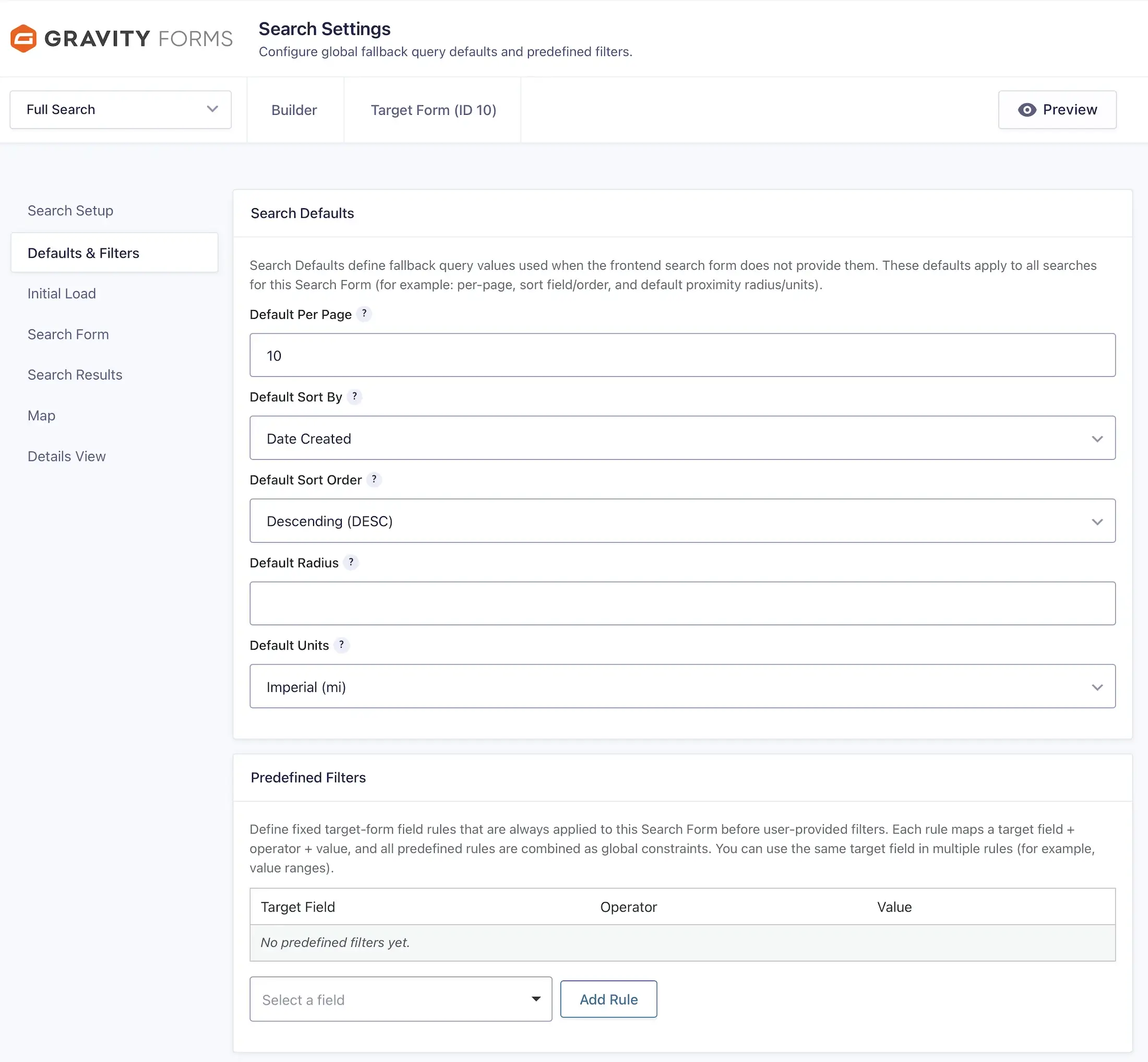
The Search Readiness panel at the top of this and every other Search Settings tab summarizes the saved
configuration. Expand it to review the Target Form, search form, results, location, map and proximity, and Entry Details
components or to follow a link to a setting that needs attention.
The panel checks configuration only; it does not scan entries or location records. Defaults and predefined filters can
power a Search without visitor input, but the Search still needs either an enabled frontend Search Form or
Load results on initial page load before Search Readiness considers it runnable.
Configuring Search Defaults & Filters
Search Defaults
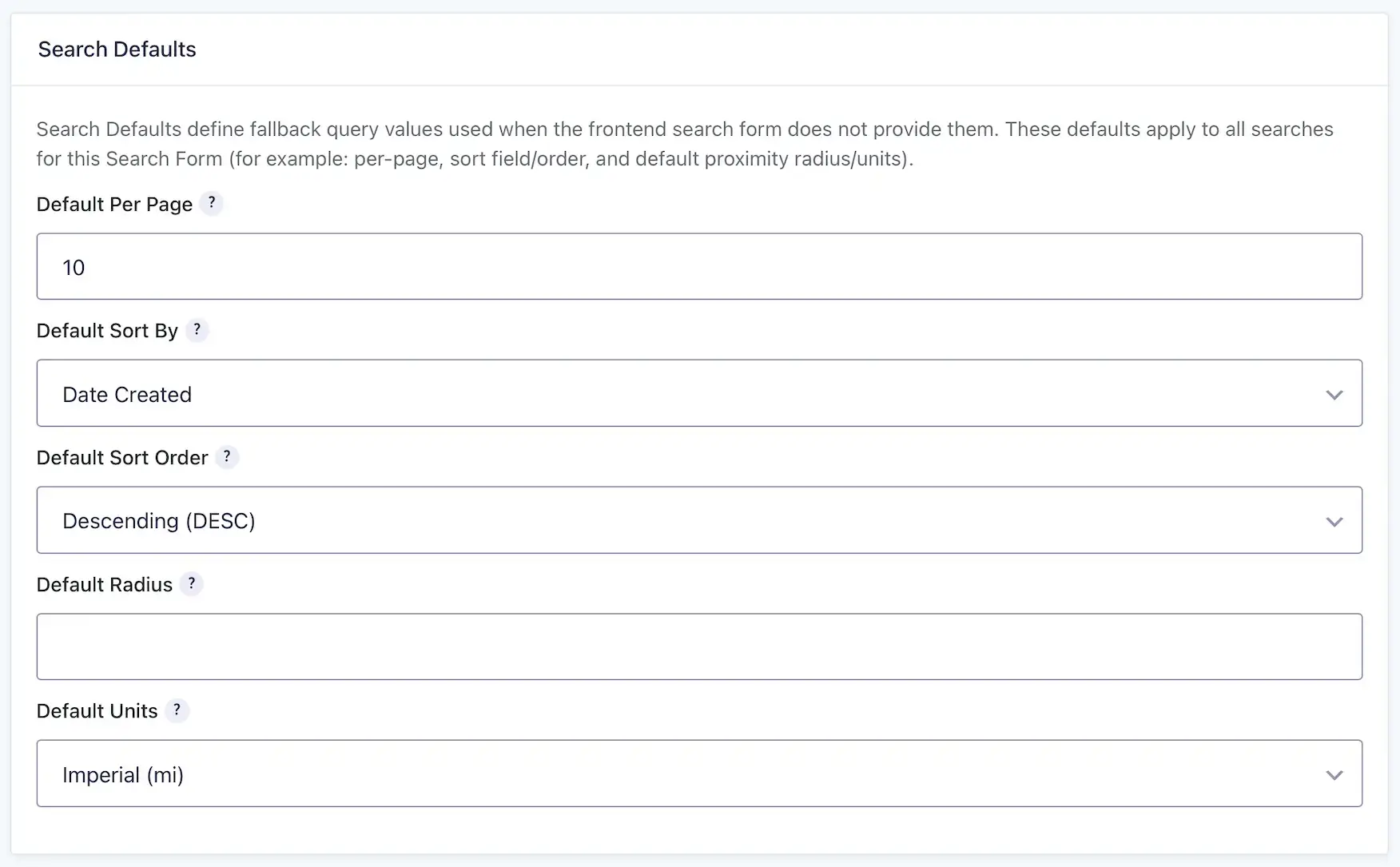
Search Defaults are fallback values used when a request does not supply its own per-page, sort, radius, or units value.
Gravity Search uses one canonical default contract for newly created Searches, settings fields, readiness checks, and
frontend queries. An explicit value already saved for a Search is preserved; only a missing value uses the canonical
fallback.
| Setting | New Search Default | Purpose |
|---|---|---|
| Default Per Page | 20 | Number of results returned when no per-page value is supplied. |
| Default Sort By | Date Created | Field used when no visitor sort value is supplied. |
| Default Sort Order | Descending (DESC) | Shows the newest entries first with the default Date Created sort. |
| Default Radius | 50 | Distance limit used by proximity search when no radius is supplied. |
| Default Units | Imperial (mi) | Distance units used when no units value is supplied. |
Default Per Page
Set the number of results returned per page when the request does not provide another value. The canonical value for a
new Search is 20. Visitor-facing per-page choices are configured separately under
Results; the server accepts visitor values only within the trusted range established by that Search's
configured options and saved default.
Default Sort By
Select the field used to order results when the visitor does not choose a sort option. Choices include built-in fields
such as Date Created, Date Updated, Entry ID, and Distance plus compatible Target Form fields. Distance sorting is
meaningful when the request has a usable proximity origin.
Default Sort Order
Choose Ascending (ASC) or Descending (DESC). New Searches use Date Created with
Descending order, which displays the newest entries first.
Default Radius
Set the distance limit used by an enabled proximity search when the visitor does not provide a radius. New Searches use
50. Leave the setting blank when an address-based search should have no default distance limit.
Default Units
Choose Imperial (mi) or Metric (km). New Searches use Imperial units. A mapped Units
field can let visitors supply a different supported value.
Predefined Target Field Filters
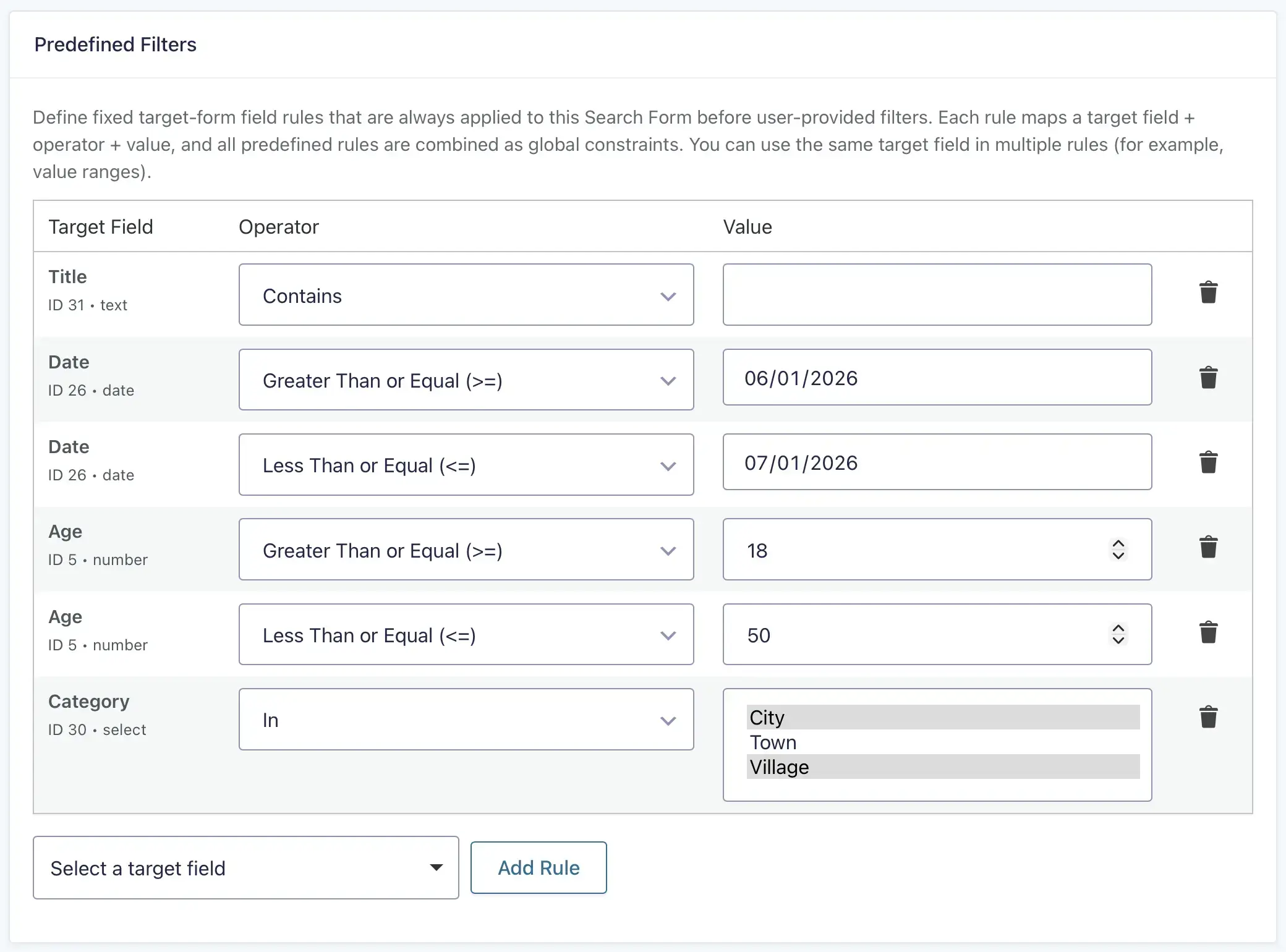
Predefined Target Field Filters are fixed rules applied to every query for the Search. Unlike visitor-facing Filter
Mappings, visitors cannot modify or remove them. Use these rules to limit results by categories, statuses, dates,
numbers, locations, or other values stored in supported Target Form fields.
Target Field
Select the supported Target Form field or input to restrict.
Operator
Choose the comparison used by the rule. Gravity Search shows operators appropriate for the selected field type. Text
fields can use text comparisons, number and date fields can use equality or greater-than/less-than comparisons, and
choice fields support In and Not In comparisons.
Value
Enter or select the fixed value used for comparison. The control adapts to the selected field where possible. For an
In or Not In rule, the Search compares against the supplied list of values.
You can add multiple predefined Target Field rules. Every valid rule remains mandatory and combines with other fixed
constraints using AND logic.
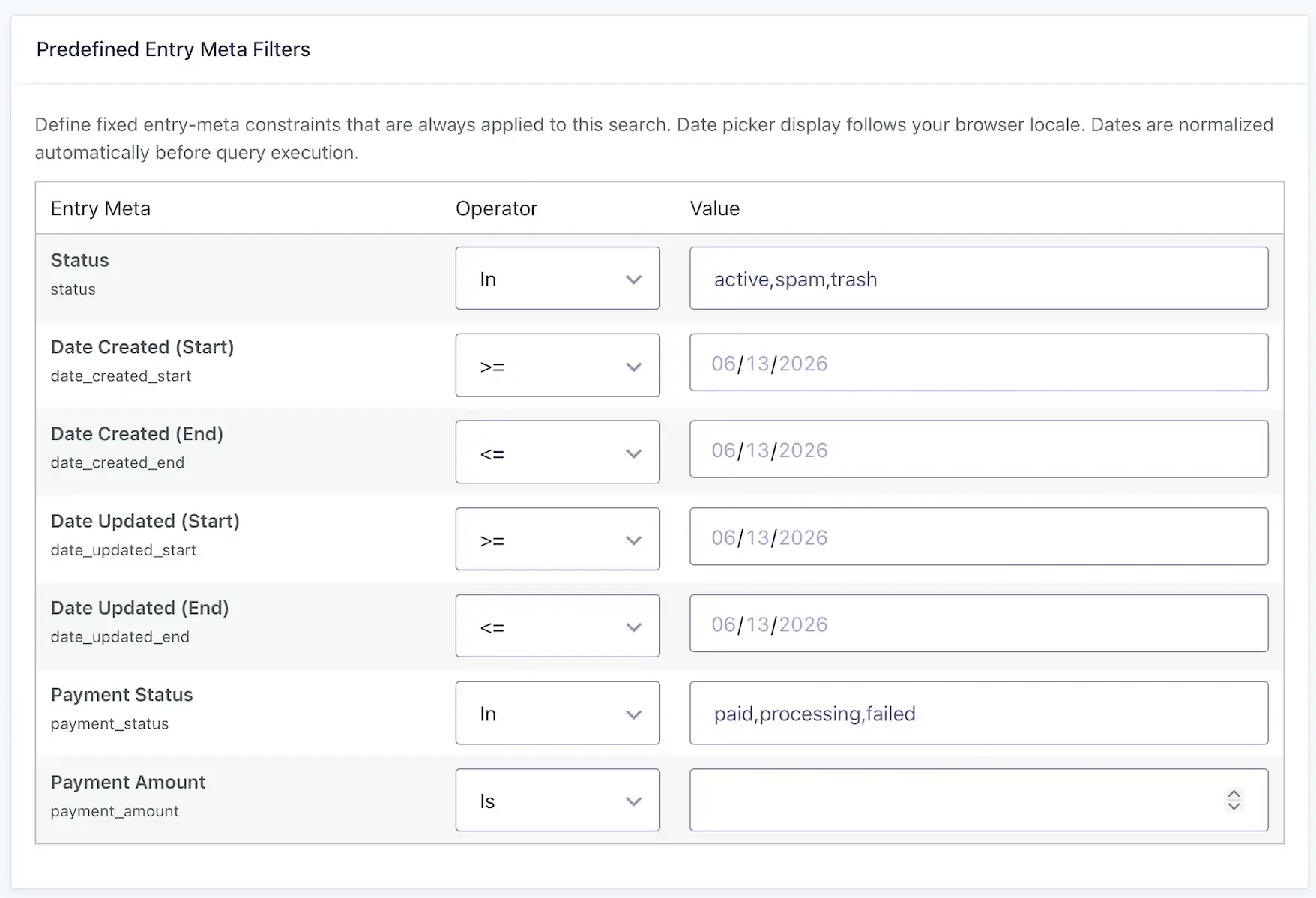
Predefined Entry Meta Filters
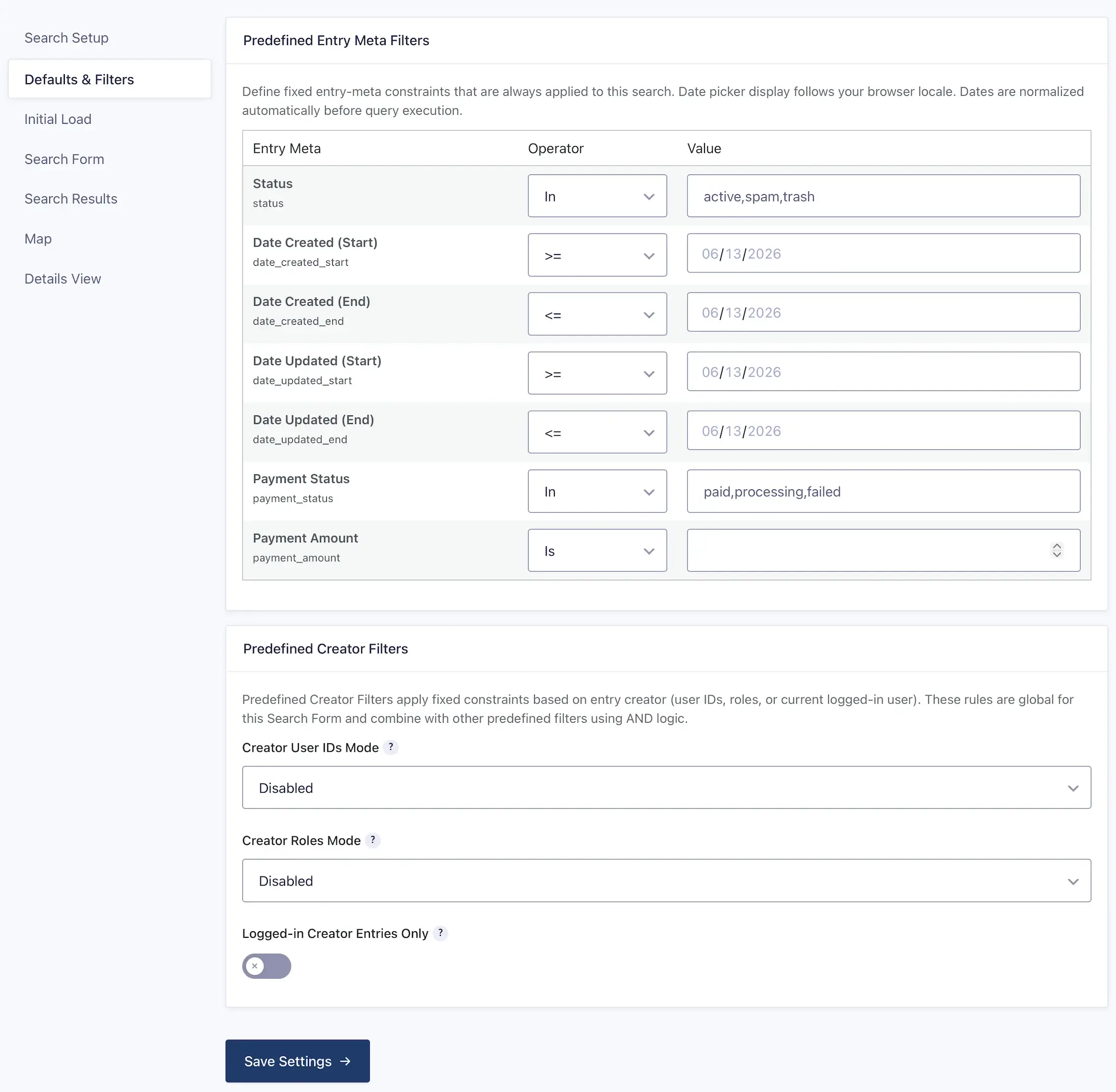
Predefined Entry Meta Filters restrict results using supported Gravity Forms entry properties rather than Target Form
field values. The current settings provide fixed rows for:
- Status
- Date Created (Start and End)
- Date Updated (Start and End)
- Payment Status
- Payment Amount
Status and Payment Status accept comma-separated values. Start and End dates define inclusive boundaries; the date
picker follows the browser locale and Gravity Search normalizes the value before querying. Payment Amount supports
equality and greater-than-or-equal or less-than-or-equal comparisons. Leave a row empty when it should not restrict the
Search.
Predefined Creator Filters
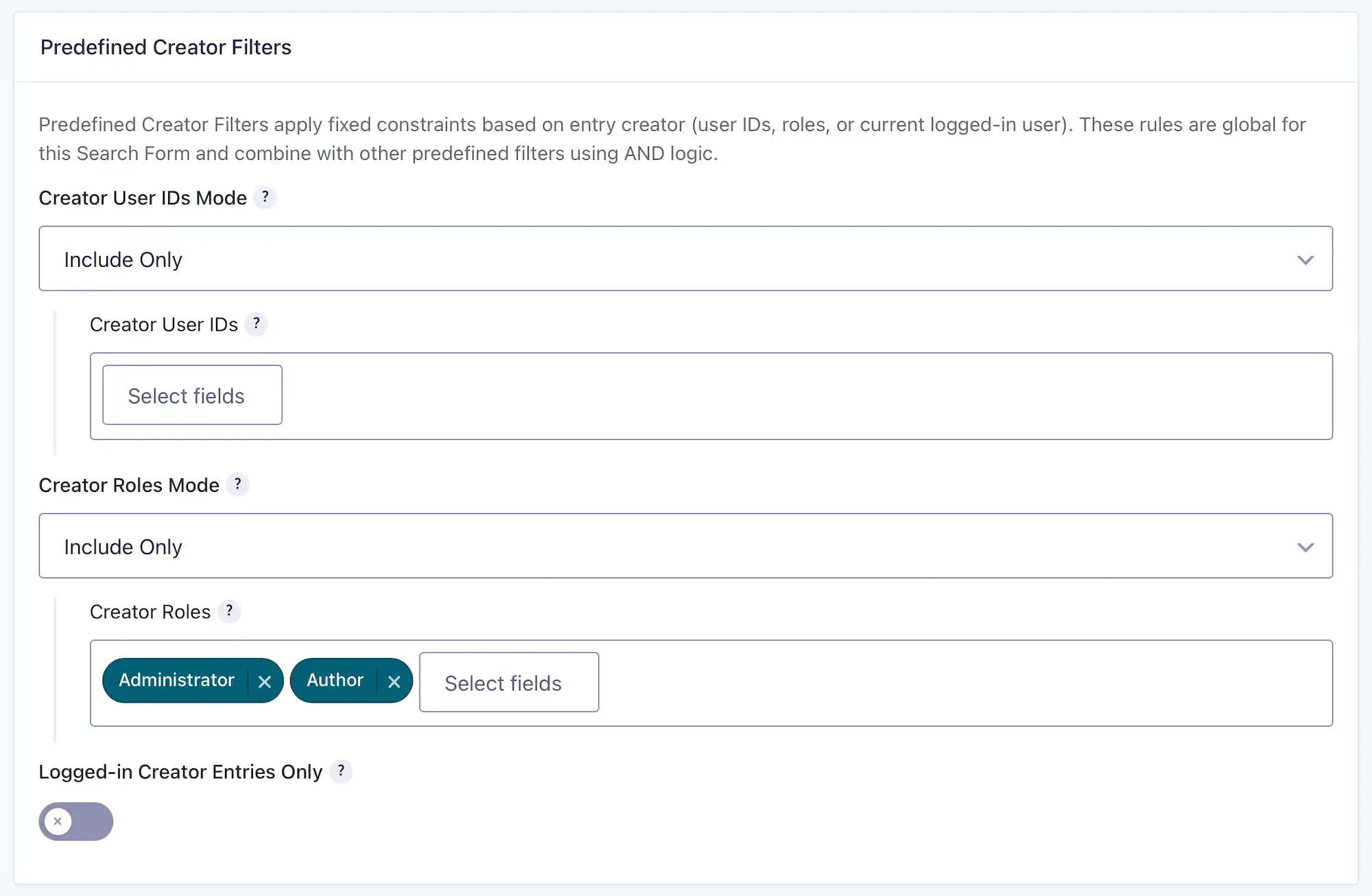
Predefined Creator Filters restrict results based on the WordPress user who created each entry. User ID, role, and
logged-in-user restrictions combine with each other and all other predefined filters using AND logic.
Creator User IDs Mode
- Disabled: do not restrict entries by selected user IDs.
- Include Only: return entries created by the selected users.
- Exclude: omit entries created by the selected users.
Creator User IDs
Select one or more WordPress users after choosing Include Only or Exclude. The selector searches the site's users and
stores their user IDs.
Creator Roles Mode
- Disabled: do not restrict entries by creator role.
- Include Only: return entries created by users in the selected roles.
- Exclude: omit entries created by users in the selected roles.
Creator Roles
Select one or more WordPress roles after choosing Include Only or Exclude.
Logged-in Creator Entries Only
Enable this setting to return only entries created by the current logged-in user. It is useful for customer portals,
member dashboards, and account pages. Guests receive no results.
How Filters Work Together
Gravity Search uses AND logic between independent classes of restrictions. The active-entry requirement, predefined
Target Form rules, predefined entry-meta rules, predefined creator rules, mapped creator and entry-meta rules, and
location or proximity constraints all remain mandatory.
The Match All Rules or Match Any Rule choice under visitor-facing Filter Mappings
controls only the relationship inside that ordinary mapped Target Form field group. Match Any creates an OR group for
those visitor mappings; it does not make a predefined, creator, entry-meta, status, or location restriction optional.
fixed restrictions AND (mapped rule A OR mapped rule B) This fixed scope is also enforced when a visitor opens an individual-entry Details URL. A direct URL does not reapply
transient values the visitor previously entered into the Search Form, but it cannot bypass the Search's saved fixed
visibility rules.
Saving Settings
Use either Save Settings button on the page. The button beside Preview and the button at the bottom
submit the same native Gravity Forms settings form. Saving Defaults & Filters preserves settings owned by every other
Search Settings tab. After saving, review the Search Readiness panel for the newly persisted configuration.