
Explore All Gravity Geolocation Features
Discover every field, map, search, routing, validation, and location tool included with Gravity Geolocation.
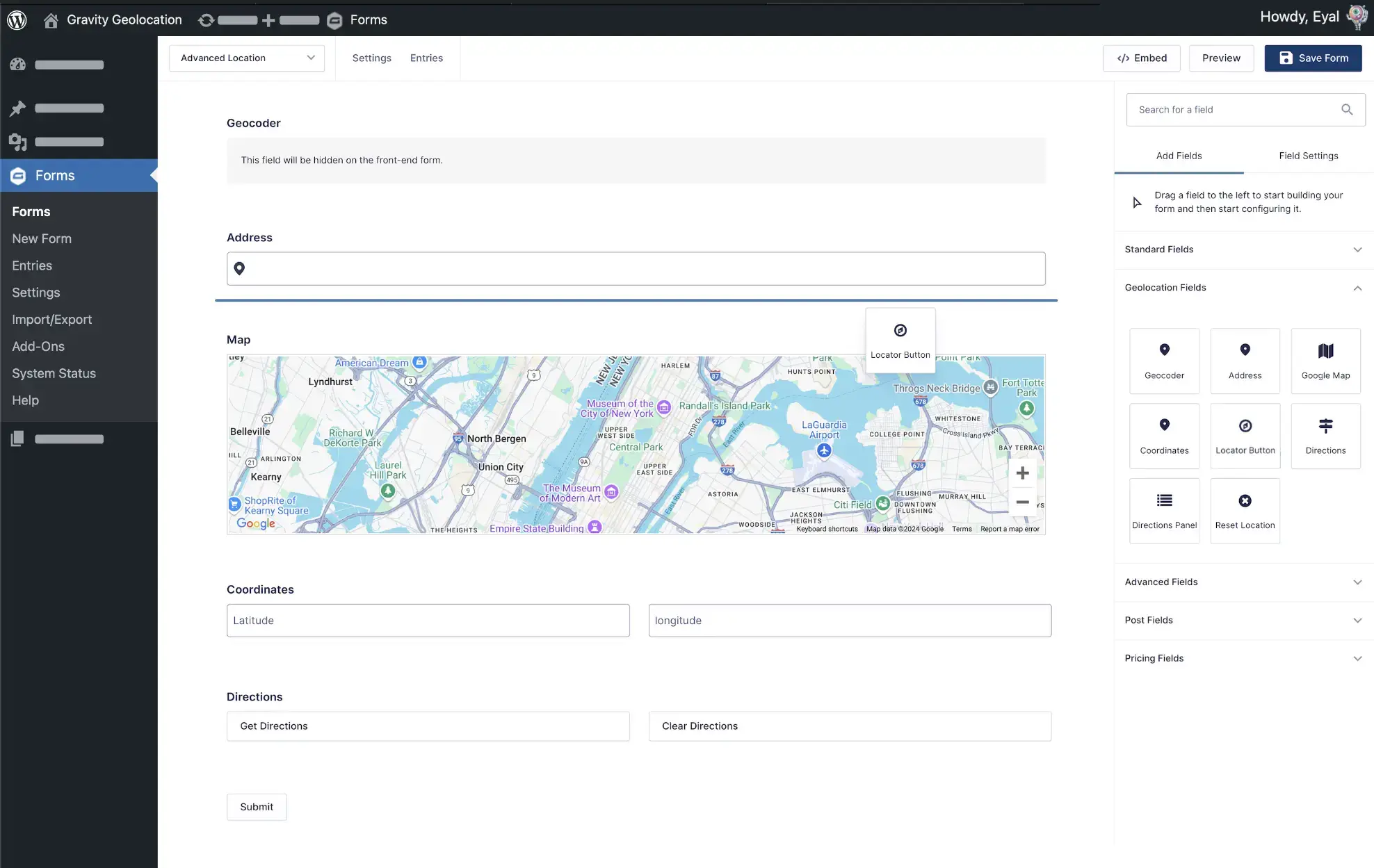

Powerful Geolocation Tools to Enhance Gravity Forms
Discover the geolocation features that transform Gravity Forms
Search & Directory Experiences
Turn Gravity Forms entries into searchable directories with filters, maps, and interactive results.
Location Data Collection
Collect addresses, coordinates, maps, and user locations using native Gravity Forms fields.
Address Validation & Verification
Standardize addresses, verify deliverability, and improve data quality before submission.
Route & Distance Calculations
Calculate travel distance and duration, display routes and directions, and send travel values to standard Gravity Forms fields for pricing and other calculations.
Interactive Maps
Display single locations, multiple submissions, or custom location datasets on interactive maps.
Nearest Location Search
Find the closest locations using driving distance, radius searches, or custom datasets.
Service Areas & Boundaries
Draw, edit, and store polygons, circles, and custom map shapes.
Native Gravity Forms Integration
Use Dynamic Location Data to pass geolocation results into standard Gravity Forms fields for calculations, conditional logic, notifications, confirmations, and compatible third-party workflows.
Location-Aware Workflows
Build dynamic forms that respond to user location, distance, and geolocation data.
Gravity Search
Build searchable directories, customer portals, store locators, and other powerful frontend search experiences with Gravity Forms

Search Any Gravity Forms Data
Create advanced search forms using standard Gravity Forms fields.
Flexible Filtering & Search Logic
Filter entries by text, dropdowns, dates, numbers, custom fields, and location.
Interactive Results & Maps
Display matching entries in customizable lists, grids, and interactive maps.
Built for Directories, Portals & Listings
Perfect for business directories, property listings, member directories, events, resources, and custom databases.
Geocoder Field
Automatically geocode addresses, reverse geocode coordinates, and populate location data throughout your Gravity Forms
Seamless Geolocation Sync
Connects geolocation fields, effortlessly syncing Address, Map, and Coordinates data to ensure accuracy and cohesion throughout your form.
Address & Coordinate Conversion
Convert addresses into coordinates or coordinates into addresses automatically.
Comprehensive Location Insights
Leverage geocoding to retrieve comprehensive location details, including full addresses, coordinates, and more, directly from user inputs.
Dynamic Location Data
Populate Text, Hidden, or Number fields with Geocoder values for calculations, conditional logic, notifications, confirmations, and other workflows.
Address Field
Collect accurate addresses with Google-powered autocomplete, geocoding, and location detection
Address Geocoding
Dynamically geocode user-entered addresses into precise geolocation data.
Address Autocomplete
Use Google Places API (New) to suggest matching addresses as users type.
Current Location Detection
Let users instantly detect their current location and autofill the address field with a single click.
Automatic Field Population
Populate coordinates, maps, hidden fields, and other geolocation fields automatically when an address is selected.
Coordinates Field
Capture precise latitude and longitude coordinates for accurate geolocation data in your forms.
Manual Coordinates Input
Allow users to manually input latitude and longitude values for precise geolocation.
Coordinate Geocoding
Automatically geocode the entered coordinates and retrieve comprehensive location details.
Map Field Sync
Seamlessly sync with the Map field to dynamically update the marker based on the provided coordinates.
Automatic Address Lookup
Automatically retrieve and populate the corresponding address from entered coordinates.
Map Field
Allow users to pinpoint locations effortlessly with an interactive map interface.
Drag & Drop Markers
Allow users to fine-tune the location by clicking or dragging the marker directly on the map.
Flexible Marker Placement
Display a single location marker or multiple markers depending on your workflow.
Map Customization Options
Adjust map settings such as type, zoom level, size, styles, default coordinates, and marker icons to match your requirements.
Two-Way Field Synchronization
Achieve seamless updates as changes in the map or geolocation fields automatically reflect across all linked elements.
Directions & Routing Field
Provide step-by-step directions, calculate distances, and estimate travel times directly within your forms.
Built-in Directions & Routing
Calculate and display routes between multiple locations directly inside Gravity Forms.
Visual Route Display
Show routes on interactive maps for a clear navigation experience.
Step-by-Step Directions
Display detailed turn-by-turn directions for users and staff.
Distance & Duration Calculation
Automatically calculate travel distance and estimated travel time.
Distance-Based Pricing & Logic
Use the field in conditional logic, or send travel distance and duration to Number fields through Dynamic Location Data for pricing, quotes, eligibility calculations, and other workflows.
Distance & Duration Field
Calculate both travel distance and estimated duration between two locations — directly inside Gravity Forms.
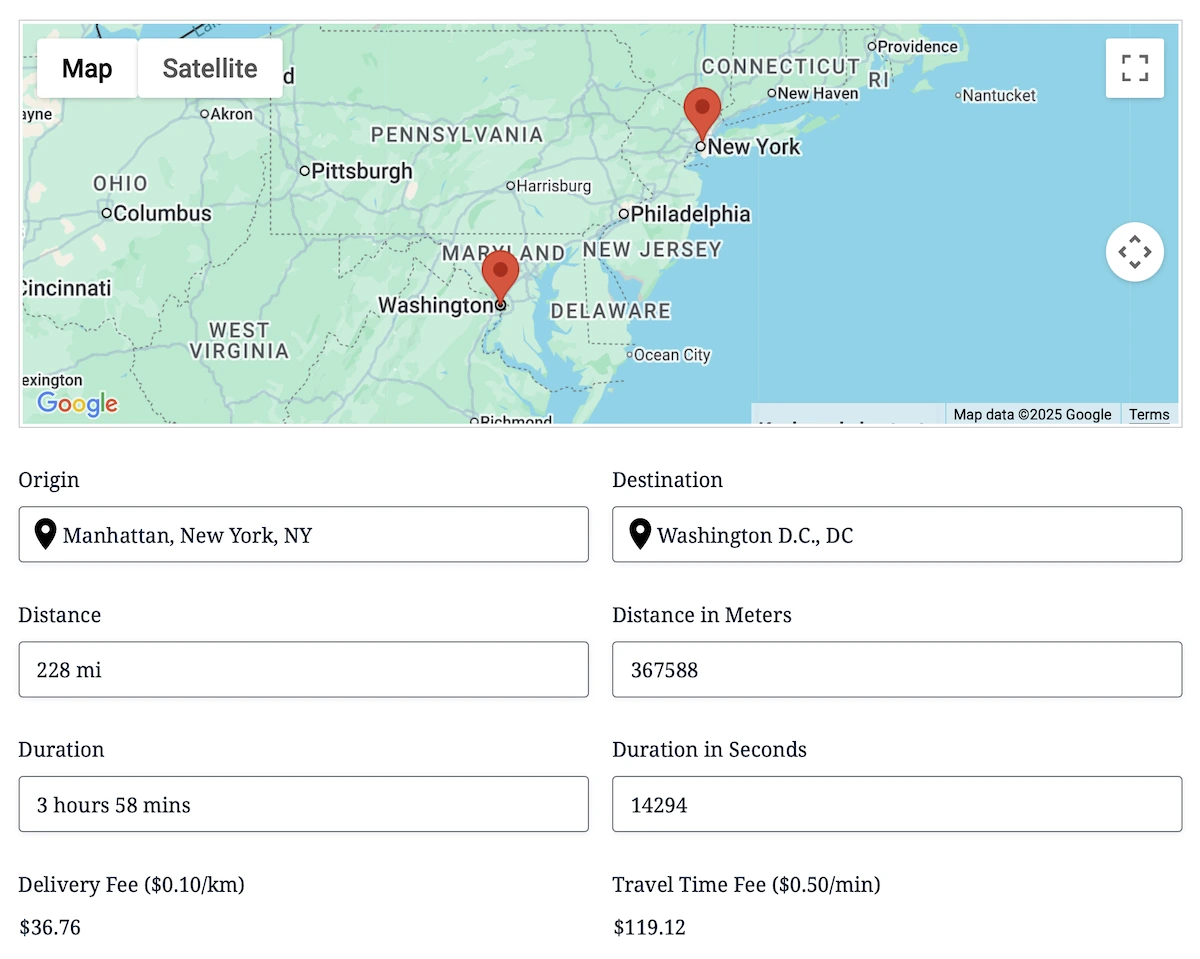
Flexible Distance & Time Modes
Choose between driving distance/duration (via the Google Routes API) or straight-line distance for simple radius and proximity workflows.
Built for Dynamic Pricing & Logic
Use the field in conditional logic, or send distance and duration values to Number fields through Dynamic Location Data for mileage fees, delivery pricing, eligibility calculations, and automation.
Multiple Location Inputs Supported
Select Origin and Destination Geocoder Fields; linked Address, Map, and Coordinates fields provide the location data for each endpoint.
Instant Travel Output
Display distance and estimated travel time in the Distance & Duration field, and optionally expose individual values through Dynamic Location Data.
Drawing Tools & Shape Fields
Give your users advanced map-drawing capabilities inside Gravity Forms — including editable shapes, real-time measurements, intuitive styling, and export-ready GeoJSON data.
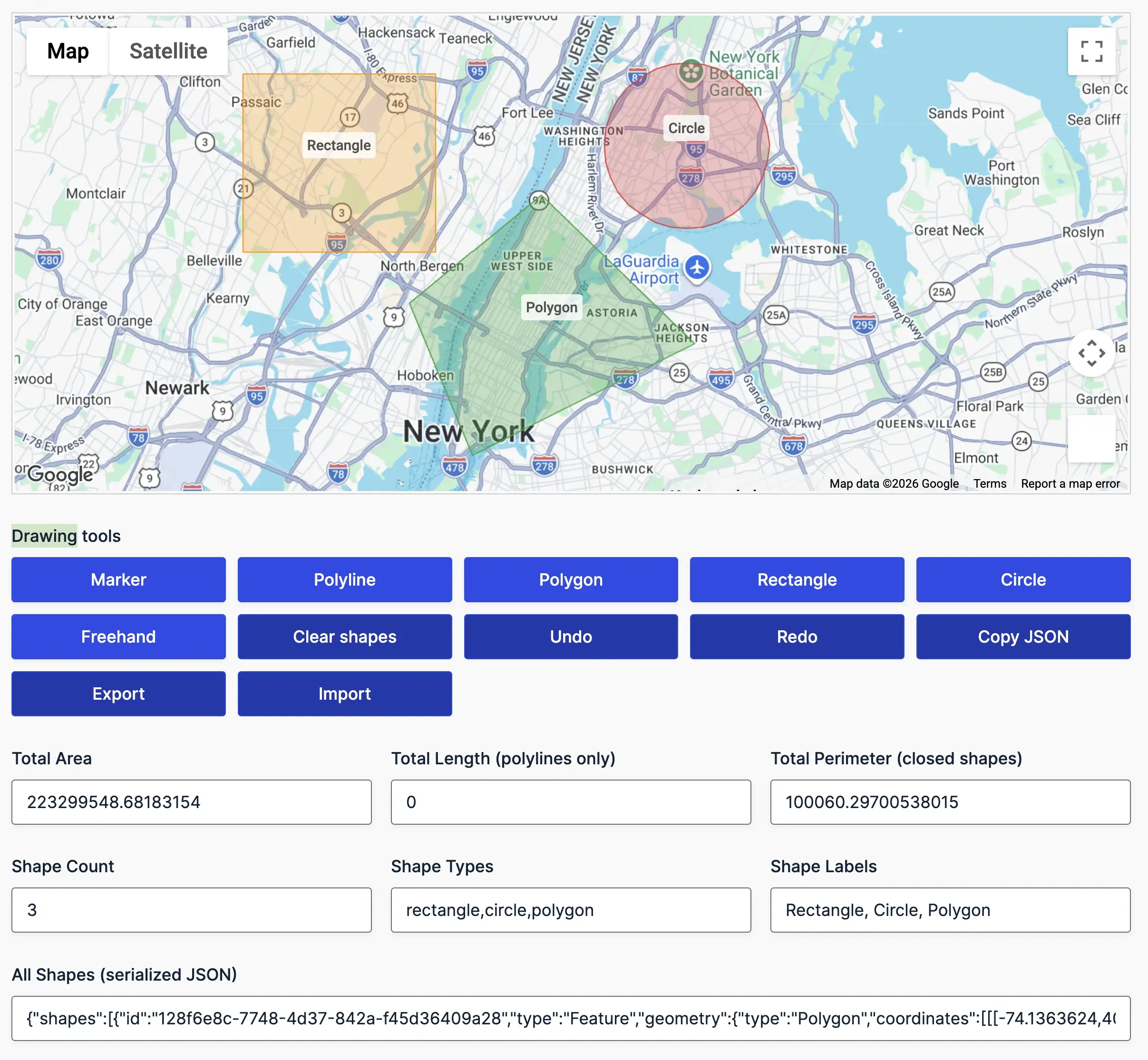
Full Interactive Shape Editing
Users can draw and adjust points, lines, polygons, rectangles, circles, or freehand shapes directly on a Google Map. Every shape can be moved, resized, or refined using TerraDraw-powered editing handles for a smooth, precise workflow.
Live Metrics & Smart Shape Updates
Show live calculations as shapes are created or edited — area, perimeter, length, radius, center, bounds, and more. All metrics update in real time and are saved with the submission for accurate backend processing.
Labels, Colors & Visual Customization
Let users assign labels and choose colors for individual shapes. Labels automatically position themselves at geodesic centers (with optional manual anchors), while colors and styles can be managed globally or per shape.
Shape Management & Data Control
Support full shape-management flows: create, edit, delete, undo, redo, import/export GeoJSON, preload shapes, and save all drawing data with the form. Multi-shape sets are saved with the entry and can be exposed through Dynamic Location Data for directories, maps, and automated workflows.
Address Validation
Verify, standardize, and improve address quality before submissions reach your workflow.
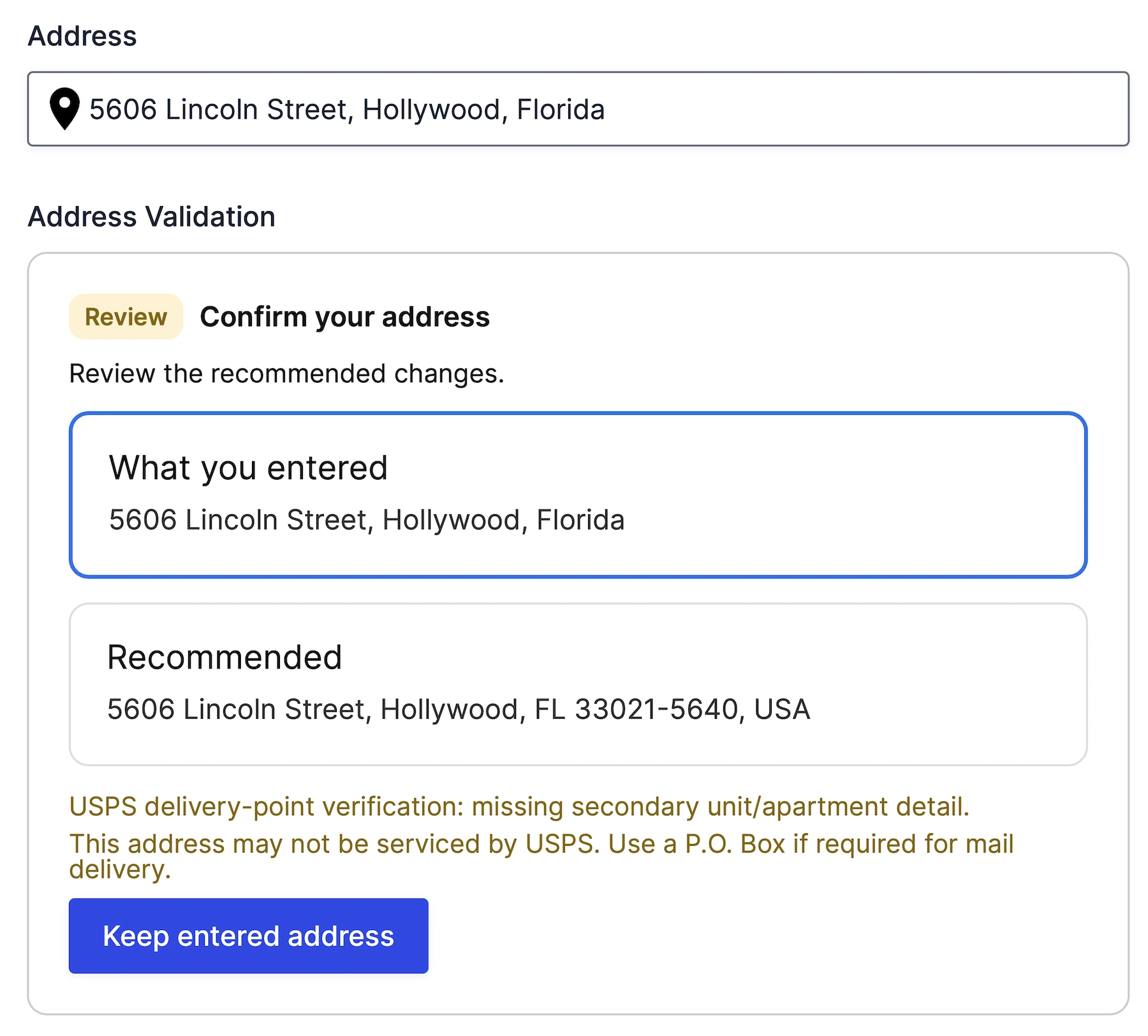
Verify Address Accuracy
Validate addresses using Google’s Address Validation API.
Suggested Address Corrections
Allow users to review and accept Google’s recommended address.
USPS Delivery Verification
Detect missing apartment, suite, and secondary unit information.
Workflow Ready
Use Dynamic Location Data to pass validation status, delivery status, and standardized address values into standard fields for automation.
Nearest Locations Search
Find the closest location to any address using driving distance, travel time, or radius-based matching.
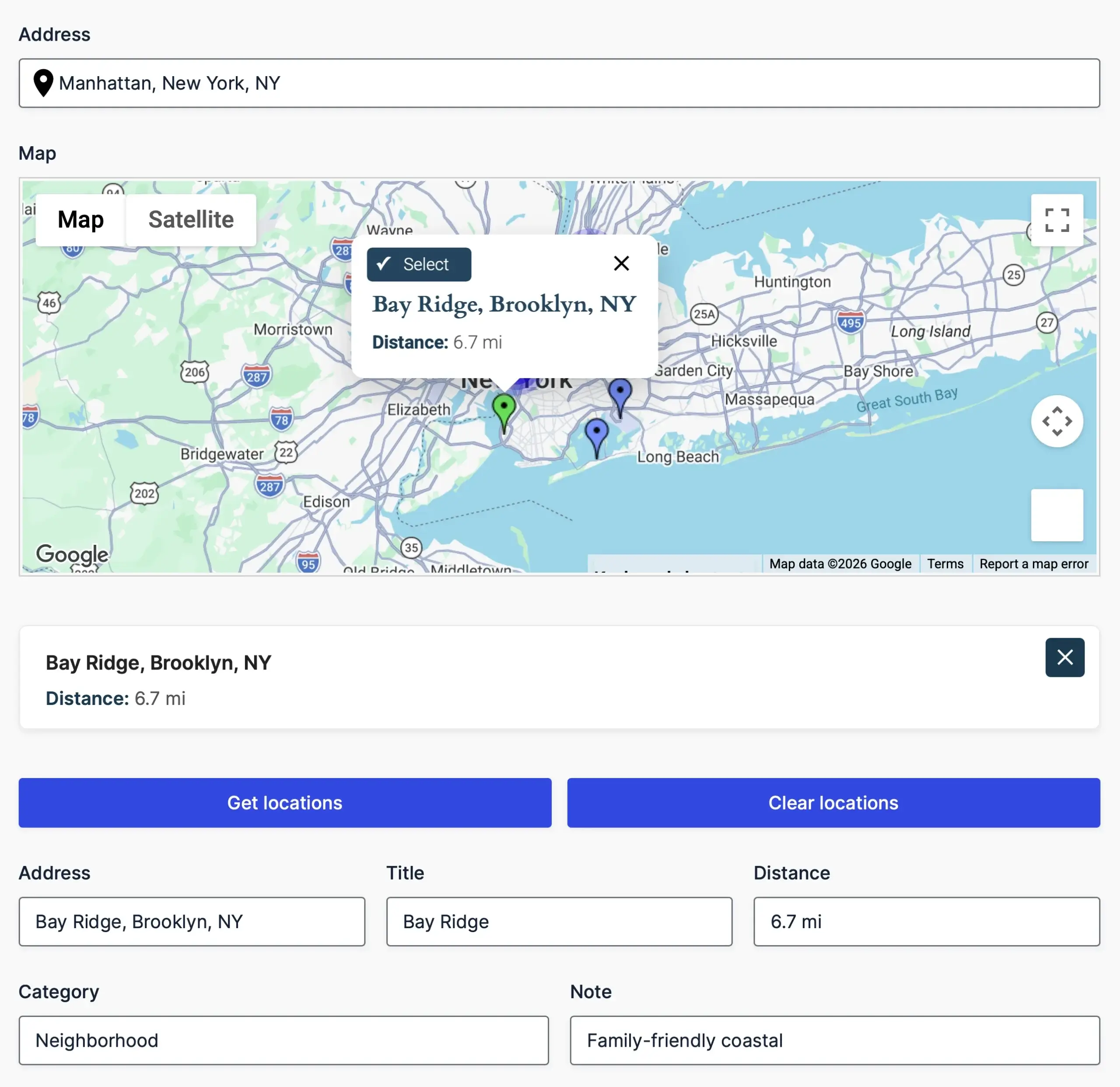
Find the Closest Location
Automatically identify the nearest store, office, pickup point, or service area.
Driving Distance & Travel Time
Find the nearest location using real-world travel distance and estimated travel time.
Flexible Location Sources
Search destinations from manual location lists, CSV/JSON datasets, or custom database tables.
Interactive Map Selection
Display nearest matches on a map and let users select locations directly from markers.
Mashup Map
Showcase multiple locations on a single interactive map, perfect for visualizing user submissions, store locations, and more.
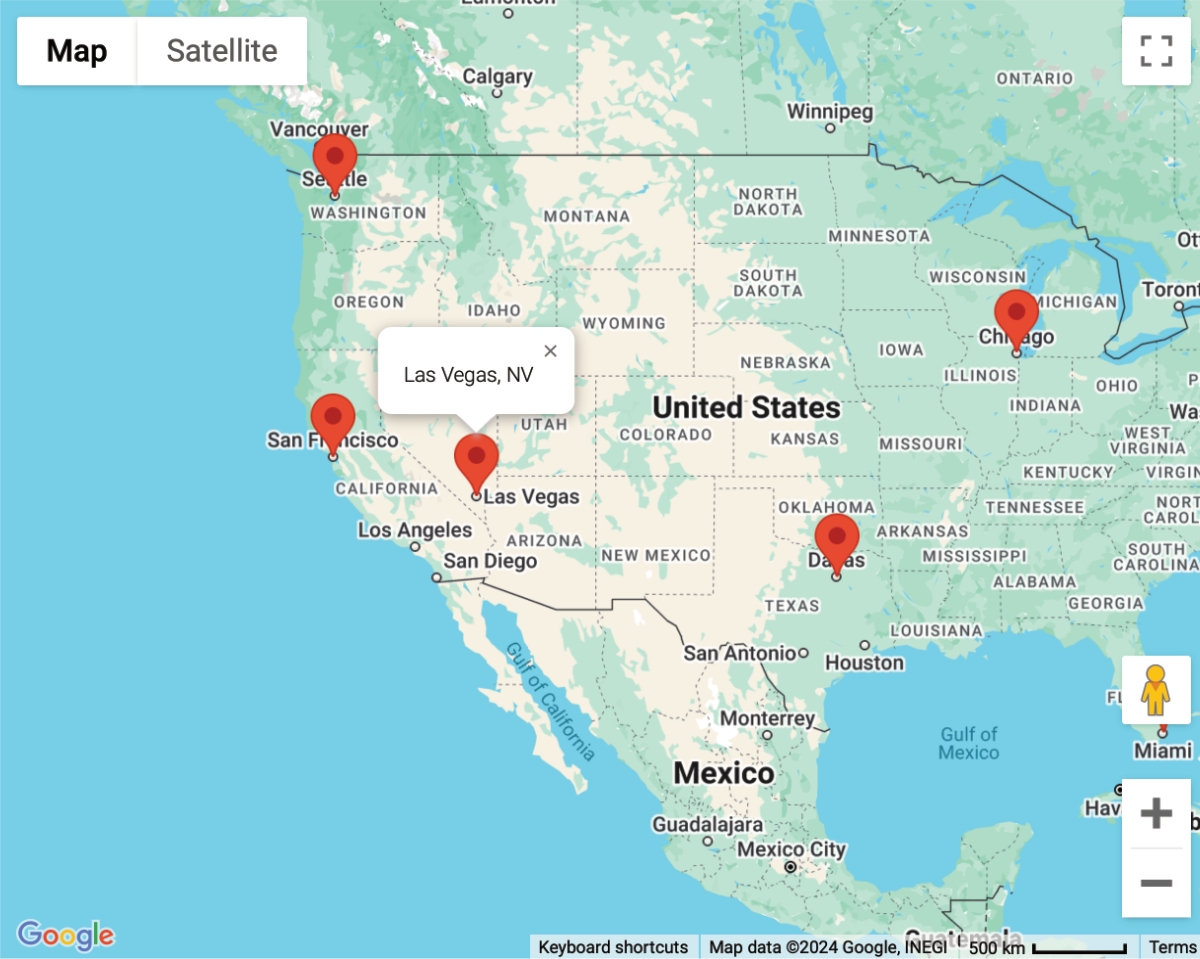
Interactive Location Display
Showcase multiple locations on an interactive map for enhanced data visualization.
Customizable Pin Styles
Customize marker icons and clustering options for a tailored visual experience.
Dynamic Data Integration
Render saved form-entry locations and other configured geolocation data whenever the mashup map loads.
Shortcode Embedding
Easily embed mashup maps anywhere on your website using simple shortcodes.
Single Entry Map
Display the precise location of a single Gravity Forms entry—perfect for detailed views, profiles, and directory templates.
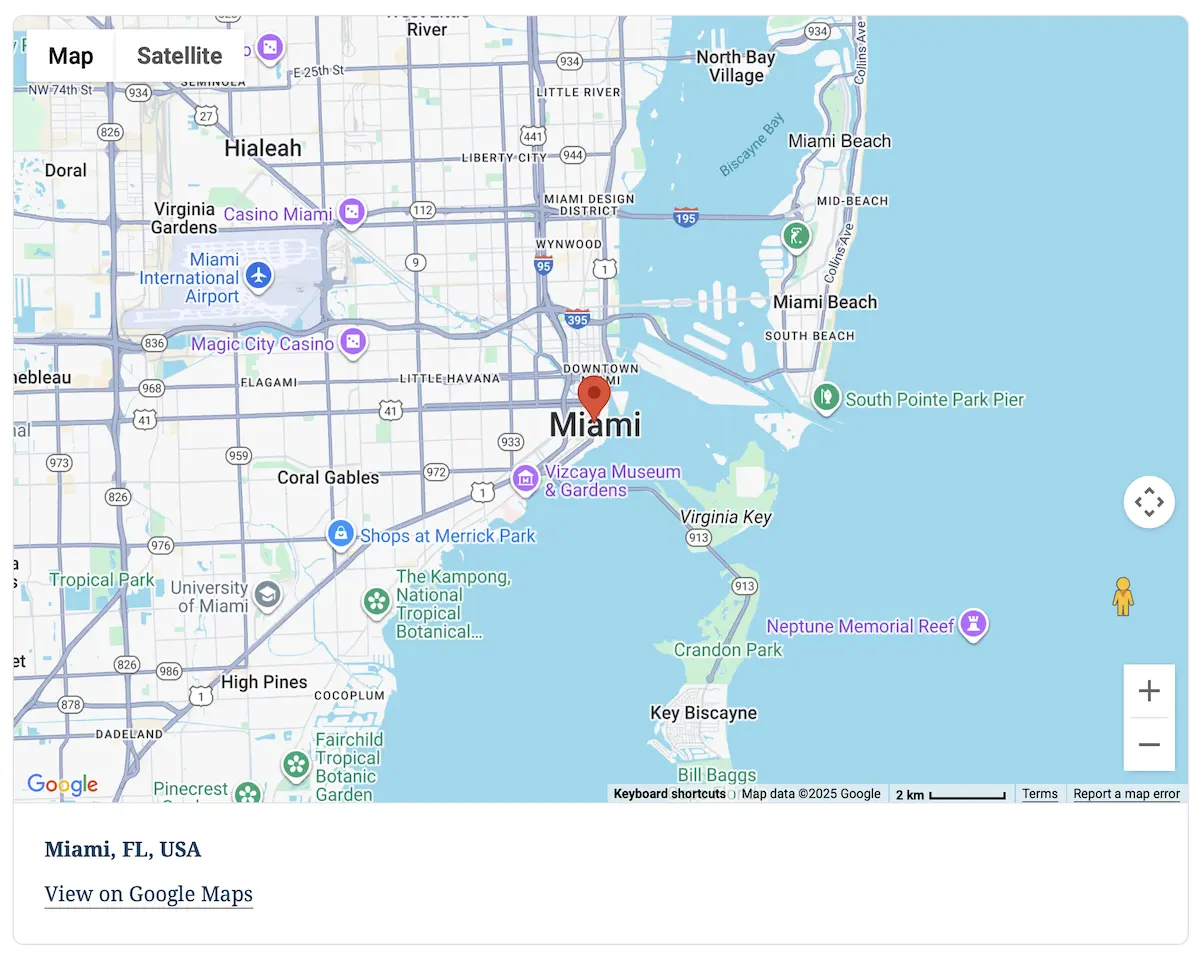
Entry-Focused Map Rendering
Show only the chosen entry’s location for a clean, distraction-free map display.
Rich Geolocation Details
Choose Gravity Forms fields to display in the marker information window alongside the saved entry location.
Fully Customizable Display
Adjust zoom, map type, size, and marker styling to fit your theme and layout requirements.
Built for Views & Templates
Integrates seamlessly into Gravity Forms confirmations, custom templates, directories, or any dynamic frontend layout.
Crafting Excellence in Geolocation
Delivering unmatched quality and meticulous attention to detail in every line of code
Built with precision and care, our code meets industry standards to deliver secure, reliable, and adaptable solutions for your geolocation needs.
Engineered for flexibility, our code is easy to extend, customize, and integrate—equipped with hooks, filters, and a clean architecture for developers.
Our updates ensure your tools stay cutting-edge, bringing new features, optimized performance, and compatibility with evolving platforms.
Try with confidence—explore the features and benefits risk-free for 14 days, and if it’s not the perfect fit, we’ve got you covered.
Unlock the full potential of our tools with detailed documentation, offering step-by-step guidance and insights for every feature.
Our expert support team is always ready to assist, providing personalized solutions and ensuring you succeed at every step.