
Geolocation Fields for Gravity Forms

Collect addresses, coordinates, map locations, and user geolocation using powerful location-aware fields built specifically for Gravity Forms

Gravity Geolocation Basic Fields

Why Geolocation Fields?

Collect precise location information using addresses, maps, coordinates, and user geolocation

Address Input
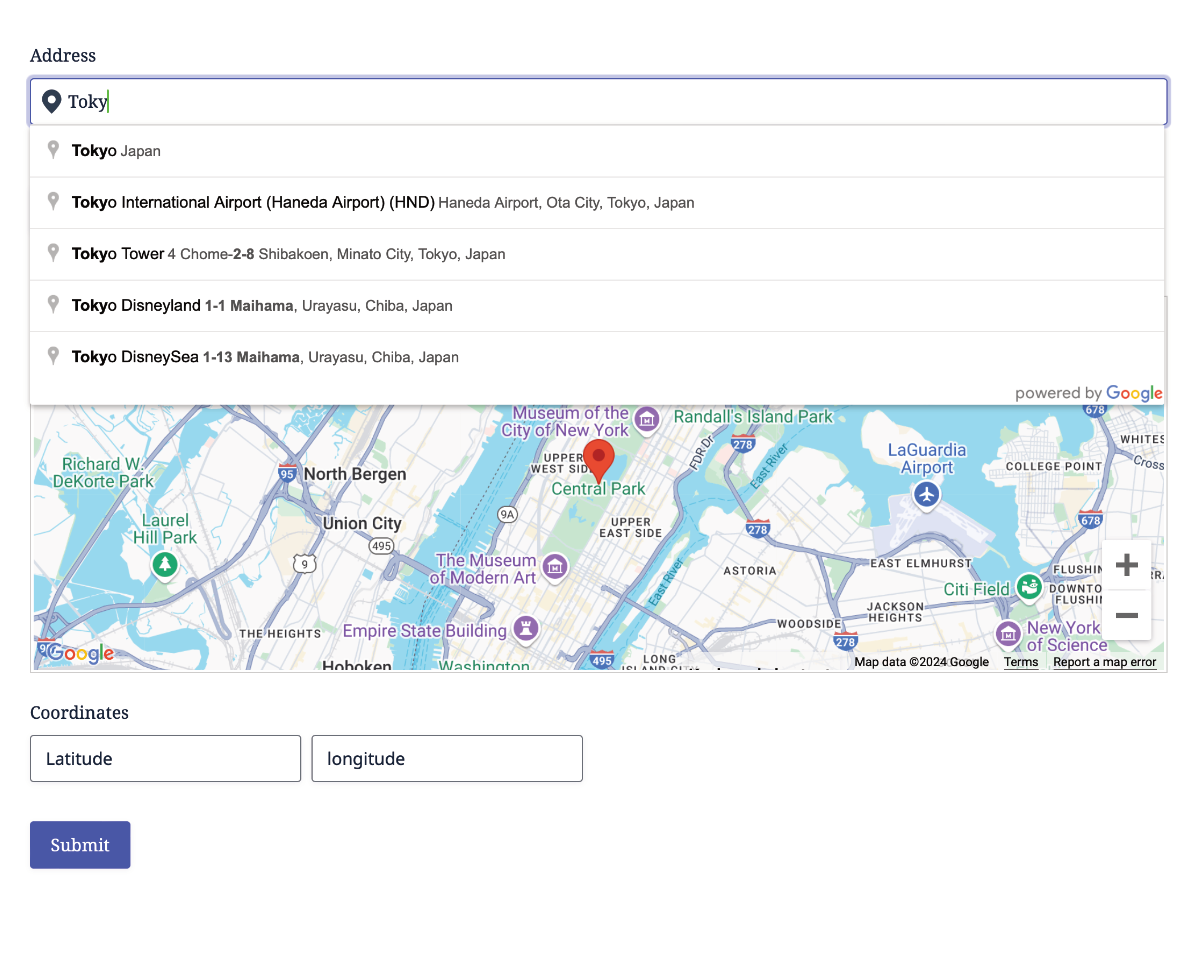
Collect accurate addresses using Google Places autocomplete.
Interactive Maps
Allow users to select and refine locations directly on a map.
Coordinates
Capture precise latitude and longitude values when needed.
User Location
Detect and populate a user's current location with a single click.

Native Gravity Forms Integration

Add powerful geolocation capabilities to Gravity Forms using the same familiar builder, workflows, and tools you already know

Complete Geolocation Toolkit

From addresses and maps to coordinates and user location detection, everything you need to collect accurate location data

Build Powerful Location Workflows

Build simple location forms or advanced geolocation workflows using synchronized fields, maps, and dynamic location data

Built for Real-World Use Cases

Use the same geolocation toolkit to power a wide range of location-aware forms and workflows

Store Locator Forms

Help users find nearby stores, branches, and service locations.

Property Listings

Capture and display accurate property locations on interactive maps.

Service Requests

Collect customer addresses and assign jobs based on location.

Delivery & Logistics

Calculate routes, distances, and delivery zones.

Travel & Booking

Collect trip destinations and location details.

Event Registration

Capture event locations and attendee destinations.

Customer Directories

Build location-aware customer databases.

Lead Qualification

Route and qualify leads based on geographic criteria.

Job & Workforce Management

Capture job locations, assign field workers, and manage location-based service requests.

Frequently Asked Questions

What are Geolocation Fields for Gravity Forms?

Geolocation Fields add Google Maps-powered location fields to Gravity Forms, allowing you to collect addresses, map locations, coordinates, and users’ current locations directly within your forms.

Can I use Google Maps address autocomplete?

Yes. The Address field integrates with Google Places Autocomplete, helping users enter accurate addresses quickly while reducing typing errors.

Can users select locations directly on a map?

Yes. The Map field allows users to search, select, and refine locations visually using an interactive Google Map.

Can I capture latitude and longitude coordinates?

Yes. Coordinates can be collected automatically from addresses or map selections, or entered directly using dedicated Coordinates fields.

Can I detect the user’s current location?

Yes. The Locator Button uses the browser’s Geolocation API to detect and populate the user’s current location with a single click (with the user’s permission).

Can I collect multiple locations in the same form?

Yes. Gravity Geolocation supports collecting multiple addresses, map locations, and coordinate sets within the same Gravity Form, making it ideal for advanced location workflows.

Does it work with Gravity Forms features?

Yes. Geolocation Fields integrate seamlessly with Gravity Forms calculations, conditional logic, notifications, confirmations, entries, and other Gravity Forms add-ons.

Do I need a Google Maps API key?

Yes. A Google Maps Platform API key is required to use features such as address autocomplete, interactive maps, geocoding, and current location detection.

See It in Action - Try the Demo Now

Launch Demo 🚀

Choose Your Plan to Unlock the Full Potential of Gravity Forms

Flexible options designed to suit your needs, with all the powerful geolocation tools included in every plan.

Starter

Core Geolocation Tools
normally $59
$55
.00

/First year
Billed annually at normal price
Get Started
  • 1 Site
  • 1 Year Support & Updates
  • Risk-Free for 14 Days
  • Included Solutions
    Geolocation Fields
    Location fields for Gravity Forms
    Dynamic Location Data
    Automatically populate fields with location data
    Auto Locator
    Detect the user’s current location
    Most Popular

    Pro

    Advanced Search & Mapping
    normally $159
    $99.00

    /First year
    Get Started
  • 3 Sites
  • 1 Year Support & Updates
  • Risk-Free for 14 Days
  • Includes everything in Starter, plus:
    Gravity Search
    Turn Gravity Forms into searchable directories
    Address Validation
    Verify and standardize addresses
    Distance & Directions
    Calculate routes, distance, and travel time
    Single Entry Maps
    Display a single entry on a map
    Entries Mashup Maps
    Display multiple entries on one map

    Agency

    Complete Geolocation Suite
    normally $259
    $179.00

    /First year
    Get Started
  • 20 Sites
  • 1 Year Support & Updates
  • Risk-Free for 14 Days
  • Billed annually at normal price
    Includes everything in Pro, plus:
    Nearest Locations
    Find the closest destination instantly
    Drawing Tools & Shape Fields
    Draw and manage custom map shapes
    Store Locators & Service Areas
    Build store finders, pickup points, and service zones
    Note: Agency features are currently in beta.

    Special introductory pricing applies to the first year. Renewals are billed at the regular price. You can upgrade or cancel your plan at any time. Each plan includes automatic updates, premium support, and is backed by our 14-day money-back guarantee.

    All purchases are securely processed on GEO my WP, our parent platform, where you can manage license, update, and support.