
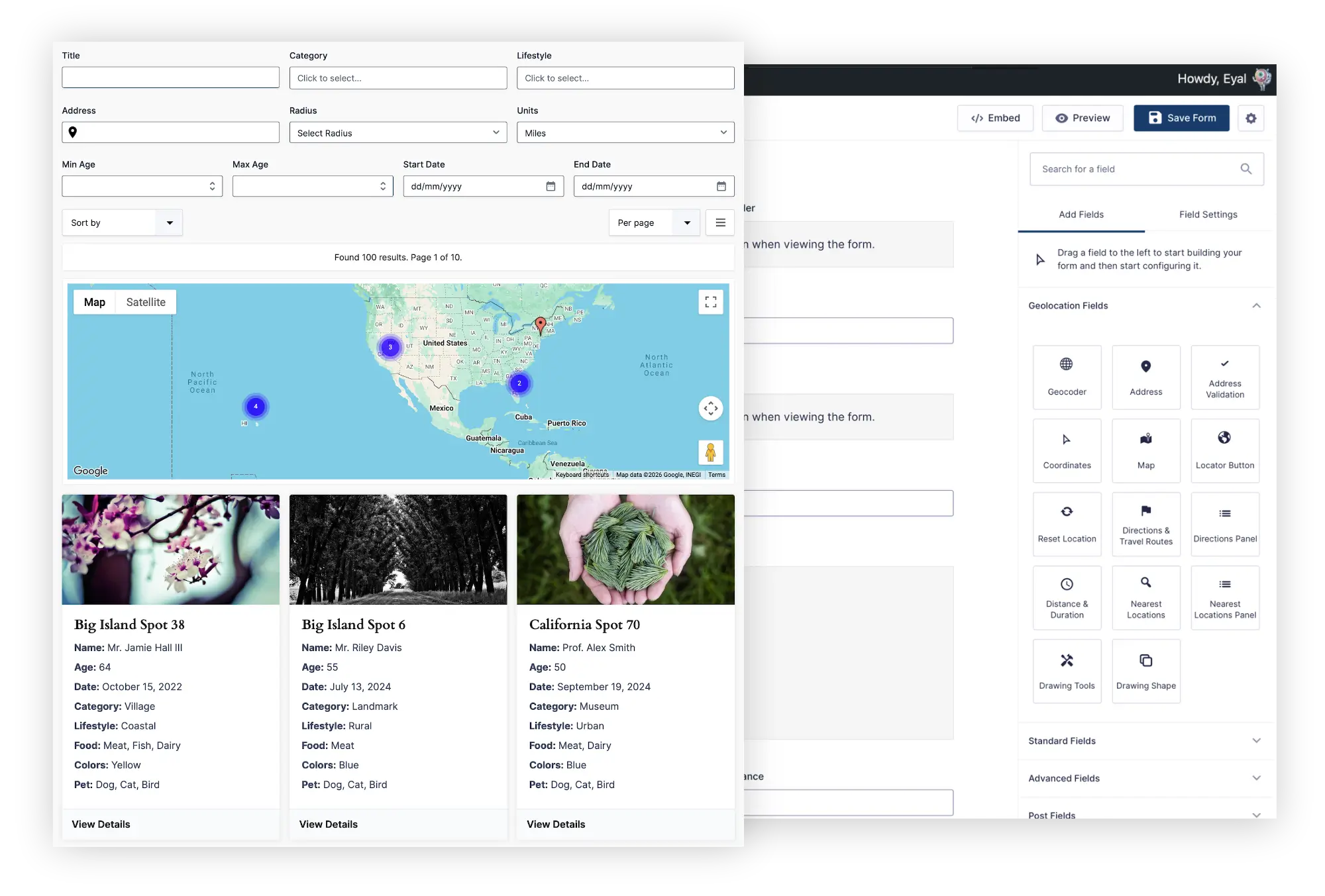
Search, filter, map, and display existing Gravity Forms entries through directories, listings, portals, maps, and custom frontend experiences—without moving your data or building a separate content system.

From searchable directories and listings to customer portals and location finders, Gravity Search helps turn Gravity Forms entries into powerful user experiences
Create searchable business listings with categories, custom fields, maps, proximity search, and detailed profiles.
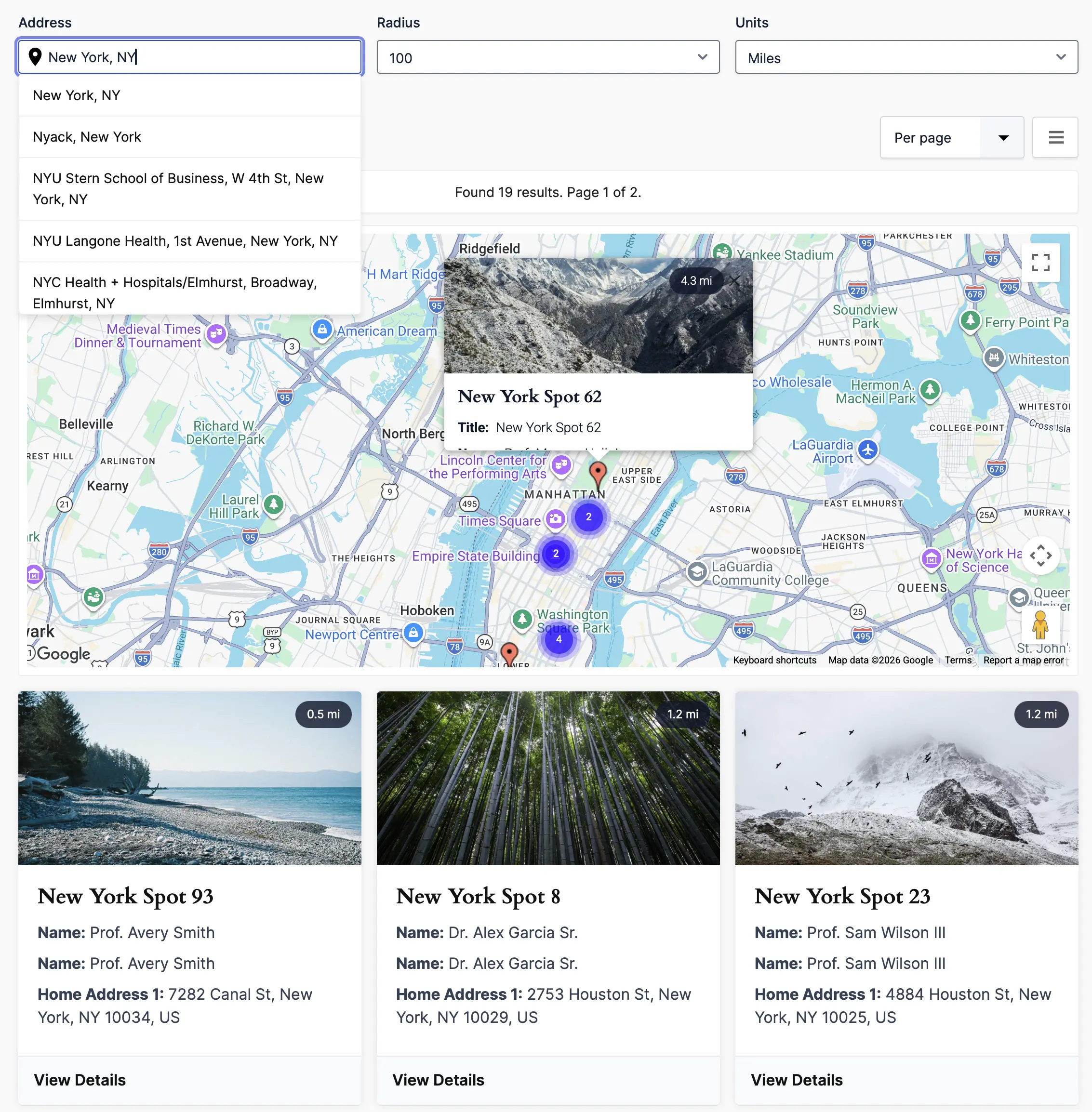
Explore Business Directories →Help visitors find nearby stores, branches, dealers, and service locations using address search, distance, radius filters, and interactive maps.
Explore Store Locators →Build searchable member profiles using names, categories, organizations, skills, locations, and other Gravity Forms fields.
Explore Member Directories →Allow logged-in users to search and view relevant Gravity Forms entries through a frontend portal.
Explore Customer Portals →Gravity Search can also power property listings, employee databases, resource libraries, service-provider directories, internal search tools, and other entry-based applications.
Create searchable or predefined frontend entry displays using your existing Gravity Forms data and the familiar Gravity Forms workflow
Create searchable or predefined entry displays using the familiar Gravity Forms workflow—without learning a separate directory interface

Each Search is built using the familiar Gravity Forms interface. Add search fields when visitors need interactive controls, or leave the form without visitor-facing fields when you only need a predefined entry display, results list, or map.
The Gravity Forms builder handles optional search fields, while the Search settings control the target form, predefined filters, results, maps, sorting, pagination, and entry details.
Add optional search fields using the same editor you already use for standard Gravity Forms.
Connect Gravity Search to an existing Gravity Form without restructuring or duplicating its entries.
Configure predefined filters, sorting, layouts, maps, results, and entry details from the Gravity Search settings.
Gravity Forms users can build search and entry-display experiences without learning a separate plugin interface.
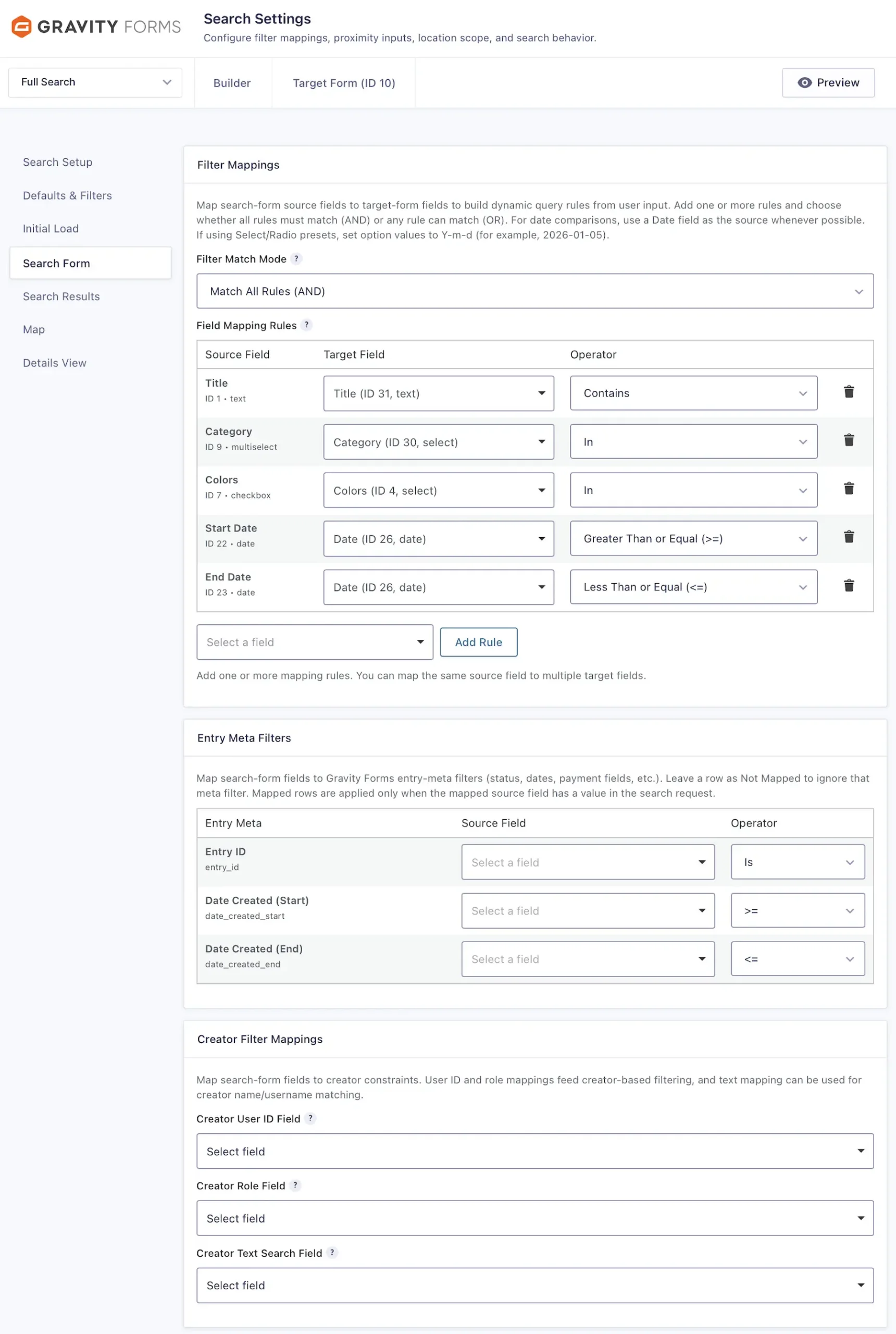
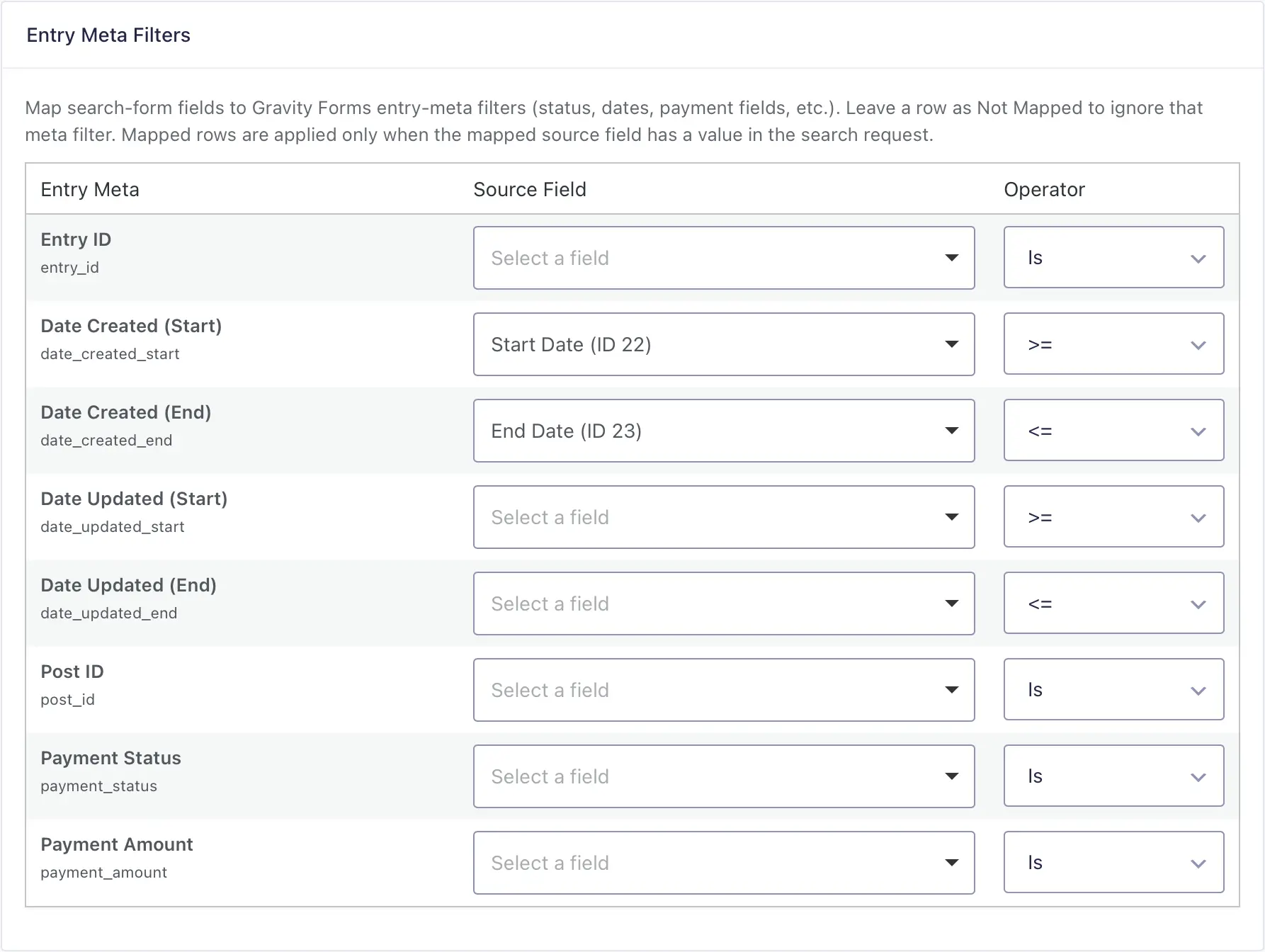
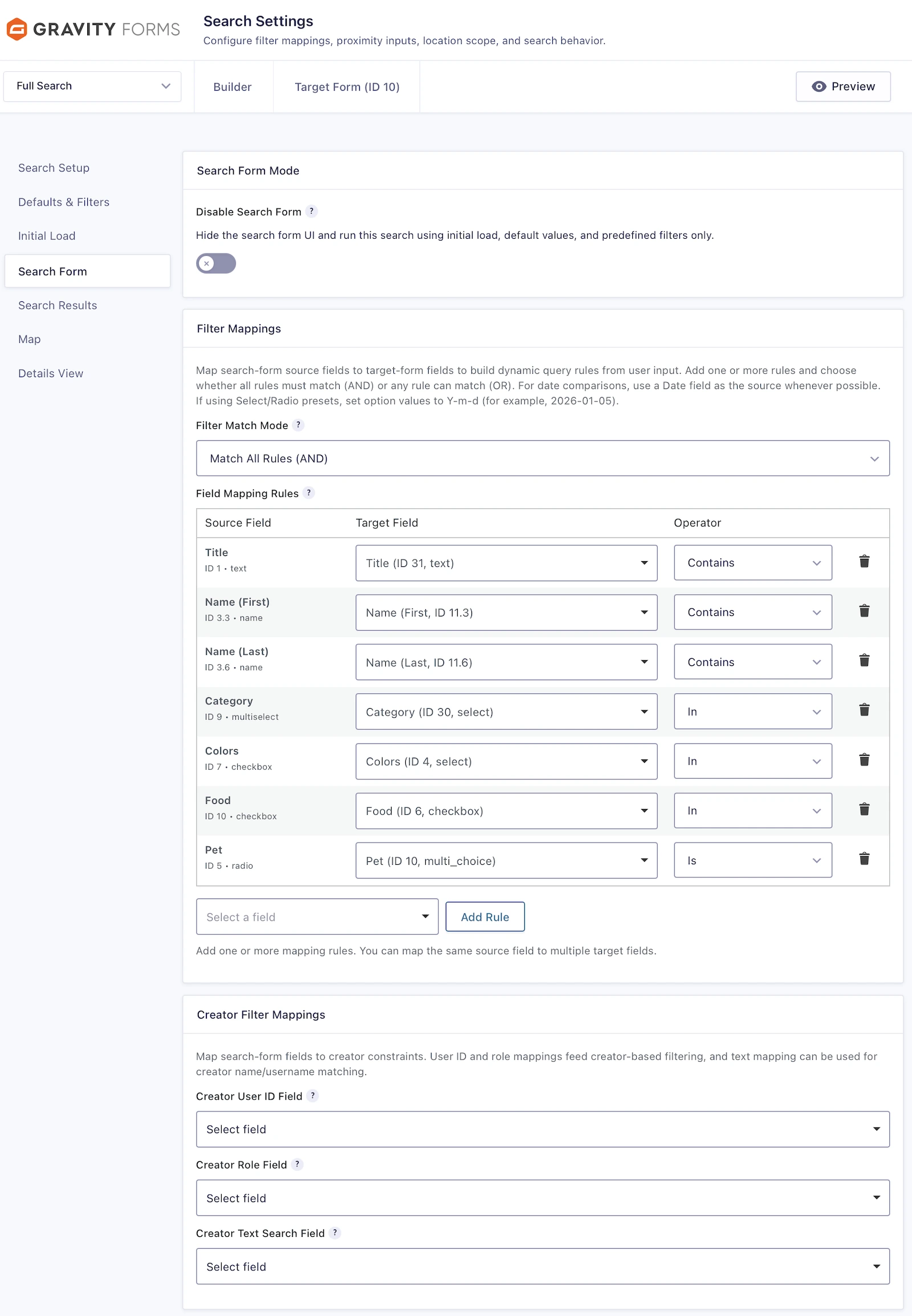
Map optional search fields to fields and metadata in the target form, then control how visitor input is matched against existing entries


Connect search fields to one or more fields in the target form.
Search names, descriptions, addresses, and other text-based entry values.
Filter entries using dropdowns, radio buttons, checkboxes, multi-select fields, and custom choice values.
Match entries using dates, numeric values, comparison operators, and ranges.
Filter using entry status, creator, submission date, payment data, user information, and supported metadata.
Combine multiple search conditions to build simple searches or advanced multi-filter experiences.
Display all entries or a predefined, filtered set of entries without requiring visitors to submit a search


Search fields are optional. Gravity Search can display all entries or a predefined, filtered set of entries without requiring visitors to perform a search.
Create results-only lists, map-only displays, category-specific directories, user-specific portal pages, or other frontend entry displays using the same Search settings.
Display entries selected through configured filters, field values, metadata, or other administrator-defined criteria.
Show cards, lists, grids, or tables without displaying visitor-facing search fields.
Display selected entry locations on an interactive map without a separate search form or results list.
Create focused pages that display entries from a particular category, service, region, status, or other configured value.
Display entries associated with the current user for portals, dashboards, account pages, and internal tools.
Combine predefined conditions to control exactly which entries appear when the page first loads.
Add visitor-facing search fields later whenever users need more control over the displayed results.
Add an interactive map to a searchable or predefined entry display. Show all configured locations immediately, or allow visitors to search by address, current location, or radius
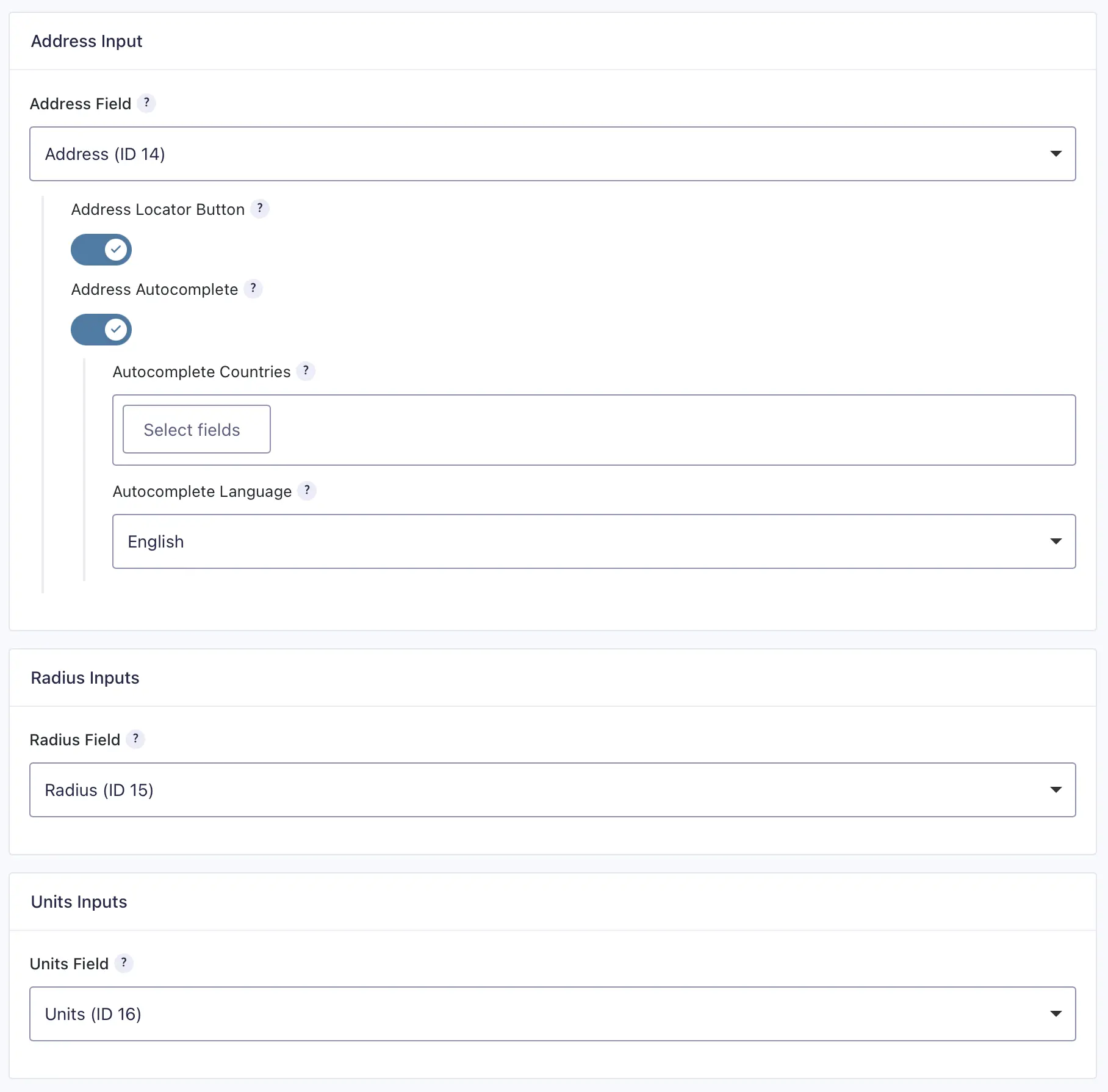
Let visitors search from an address or current location and optionally limit results by distance.
Display matching entries as map markers with clustering and synchronized result listings.
Order results by proximity so visitors can find the nearest matching entries first.
Display optional search fields, results, and the map together or place each component independently.
Ideal for store locators, branch finders, property searches, service-provider directories, and other location-aware listings.


Display entries as cards, lists, grids, tables, or map results. Results can appear immediately using predefined criteria or update in response to visitor searches and filters


Choose a layout that fits your directory, portal, database, or listing experience.
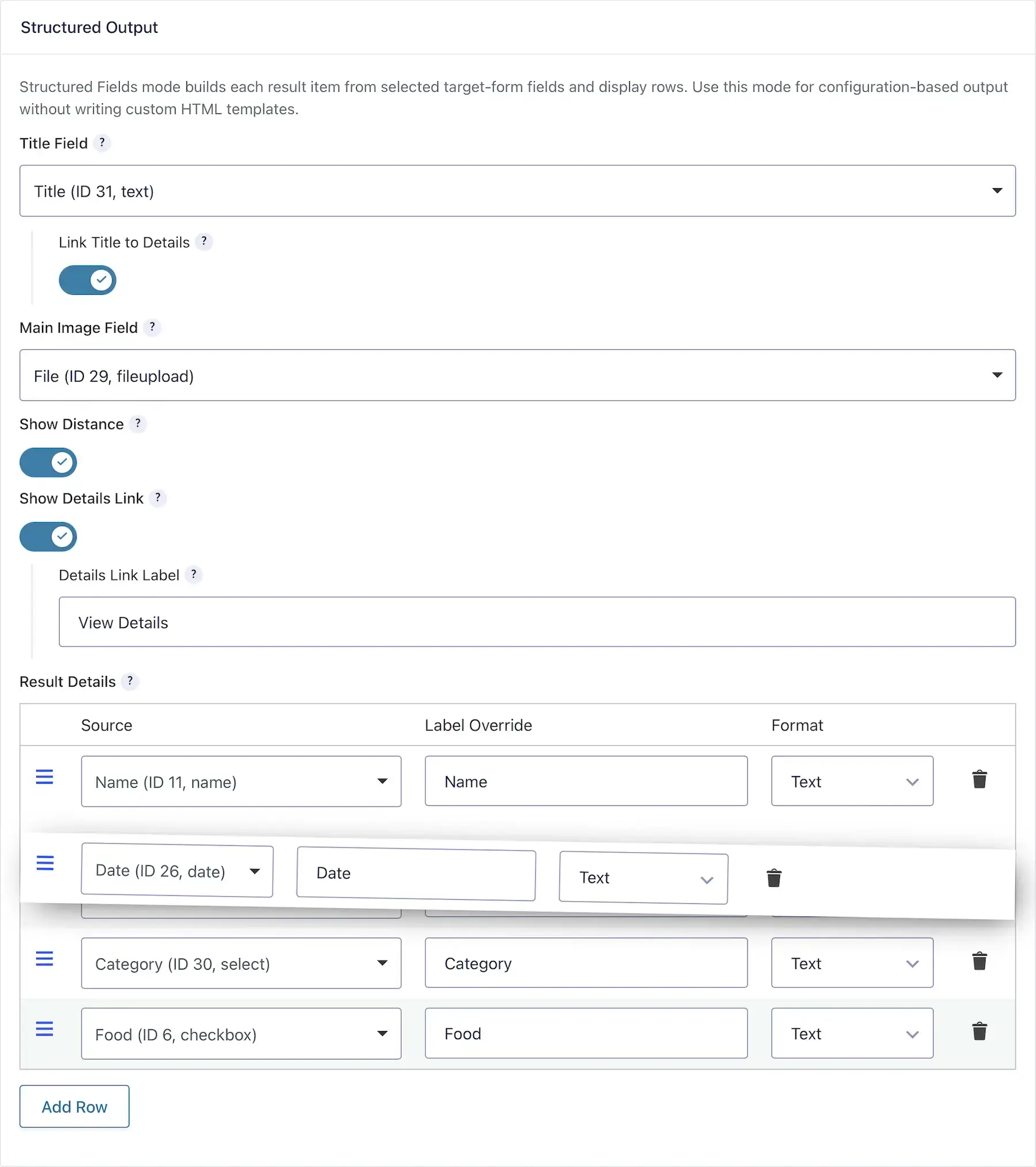
Select which target-form fields appear in each result without writing custom code.
Use Gravity Forms merge tags and custom markup for more advanced result designs.
Control result order, results per page, pagination, and load-more behavior.
Display entries immediately when the page loads, then optionally update them when visitors apply search fields or filters.
Display optional search fields, results, and the map together or place each component independently using dedicated shortcodes.
Let visitors open a dedicated page for each Gravity Forms entry and view a more complete set of information

Display selected fields from the target form using a configured details layout.
Use merge tags and custom markup to control the page structure and content.
Display uploaded images, locations, contact information, and other values stored in the entry.
Link search results directly to the corresponding entry details page.
Gravity Search is designed specifically for users who want to search and display Gravity Forms entries without introducing a separate directory platform
Gravity Search is a frontend search, filtering, mapping, and entry-display extension for Gravity Forms. It works directly with entries stored by an existing Gravity Form and can display them with or without visitor-facing search fields.
A Search is a configured frontend display powered by Gravity Forms entries. It defines which entries are shown, whether visitors can refine them using optional search fields, and how the results, map, pagination, sorting, and entry details appear.
Yes. Gravity Search works directly with existing entries without requiring custom post types, data migration, or duplication.
Yes. Display matching entries as cards, lists, grids, tables, or interactive maps.
Yes. One Gravity Form can power multiple Searches, each with different search fields, predefined filters, layouts, maps, sorting options, and purposes.
Search using Gravity Forms fields, keywords, choices, dates, numbers, entry metadata, user information, payment data, and location-based criteria.
No. Search fields are optional. Gravity Search can display all entries or a predefined, filtered set of entries as cards, lists, tables, grids, map markers, or dedicated entry details pages without requiring visitors to perform a search.
Yes. Display matching entries on interactive maps with markers, clustering, radius search, and distance-based sorting.
Yes. Each Gravity Forms entry can link to a dedicated details page containing selected fields, images, maps, merge tags, and custom content.
No. Gravity Search provides frontend search and display. Editing entries requires WordPress dashboard access or a separate frontend editing solution.
No. Most search experiences can be configured through Gravity Forms and Gravity Search settings. Developers can use templates, hooks, filters, merge tags, and custom markup for additional customization.
Gravity Search is included in the Pro and Agency plans. Pro includes the complete Gravity Search feature for building directories, portals, store locators, maps, and searchable entry displays.
Explore searchable directories, predefined entry displays, interactive maps, custom result layouts, and dedicated entry details pages.
Special introductory pricing applies to the first year. Renewals are billed at the regular price. You can upgrade or cancel your plan at any time. Each plan includes automatic updates, premium support, and is backed by our 14-day money-back guarantee.
All purchases are securely processed on GEO my WP, our parent platform, where you can manage license, update, and support.