
Distance & Directions Calculator for Gravity Forms

Create smart travel calculators and dynamic pricing systems. Built as native Gravity Forms fields — add, configure, and style them just like any other field

Gravity Geolocation Full Directions System

What Can You Build with Distance & Directions?

Create smart travel calculators and dynamic pricing systems — fully integrated into Gravity Forms

How It Works

From address input to live route calculation — everything happens automatically inside your form, in real time

1. User Enters Addresses
Customers enter pickup and destination addresses using Gravity Geolocation’s address fields with autocomplete.
Accurate address selection
Optional locator button
Multi-location support
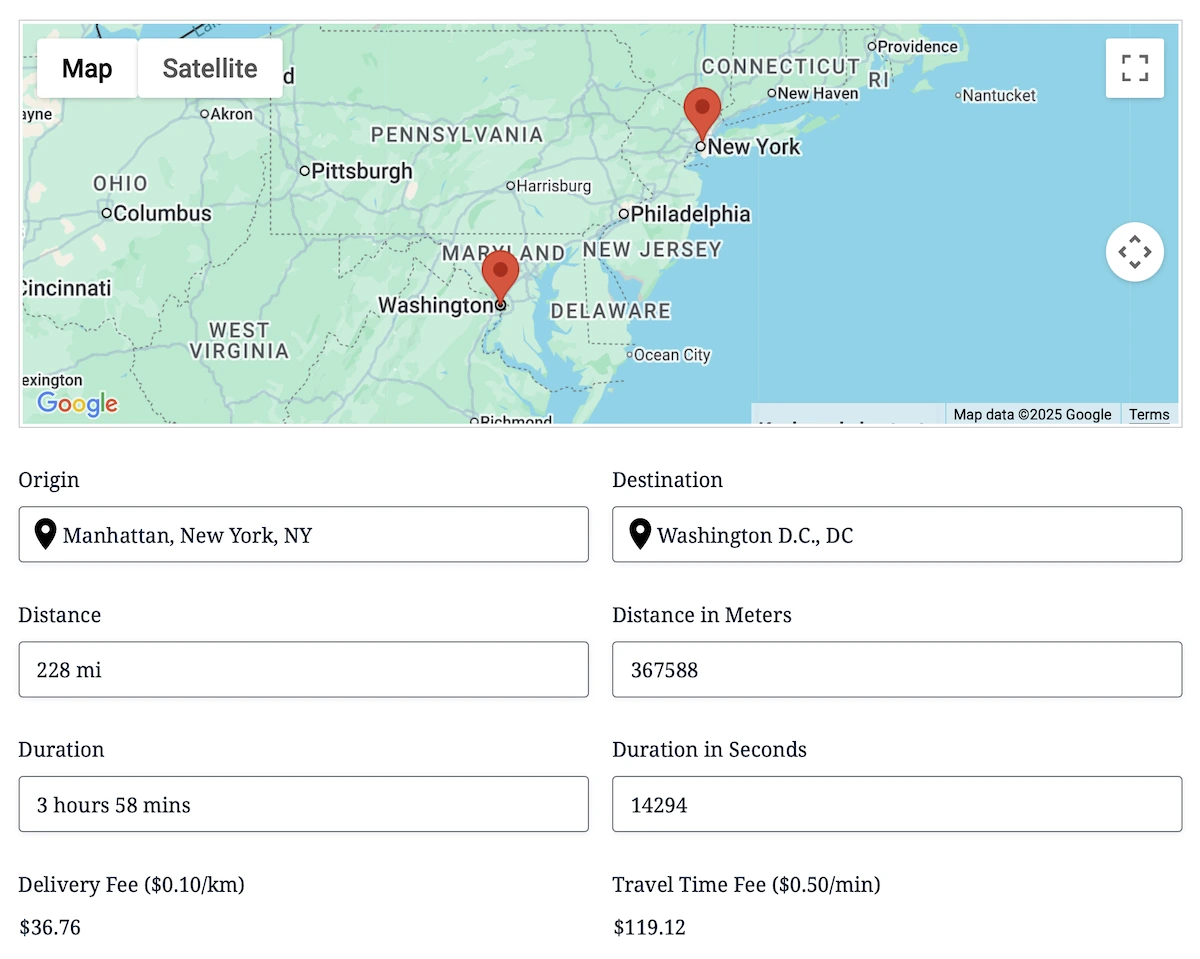
2. Routes API Calculates Distance & Duration
The system automatically calculates:
Travel distance
Travel distance
Estimated travel duration
All powered by Google’s Routes API in real time.
3. Dynamic Fields Update Instantly
Distance and duration values can:
Populate hidden fields
Update pricing or calculation fields
Trigger conditional logic
Display results live to users
Results update instantly — no page reload required.
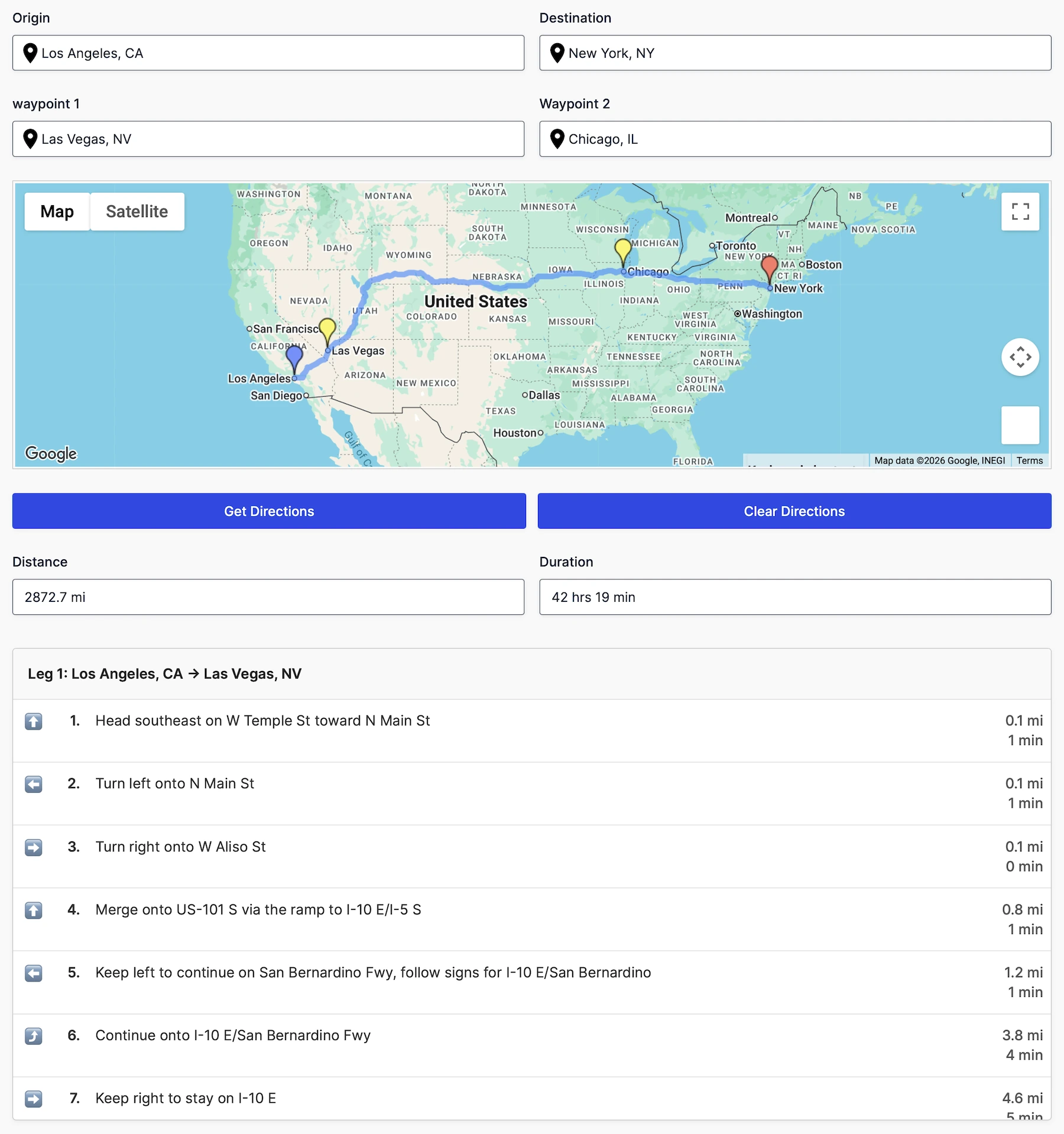
4. Display Route on a Live Map
Show:
Turn-by-turn directions panel
Visual route line
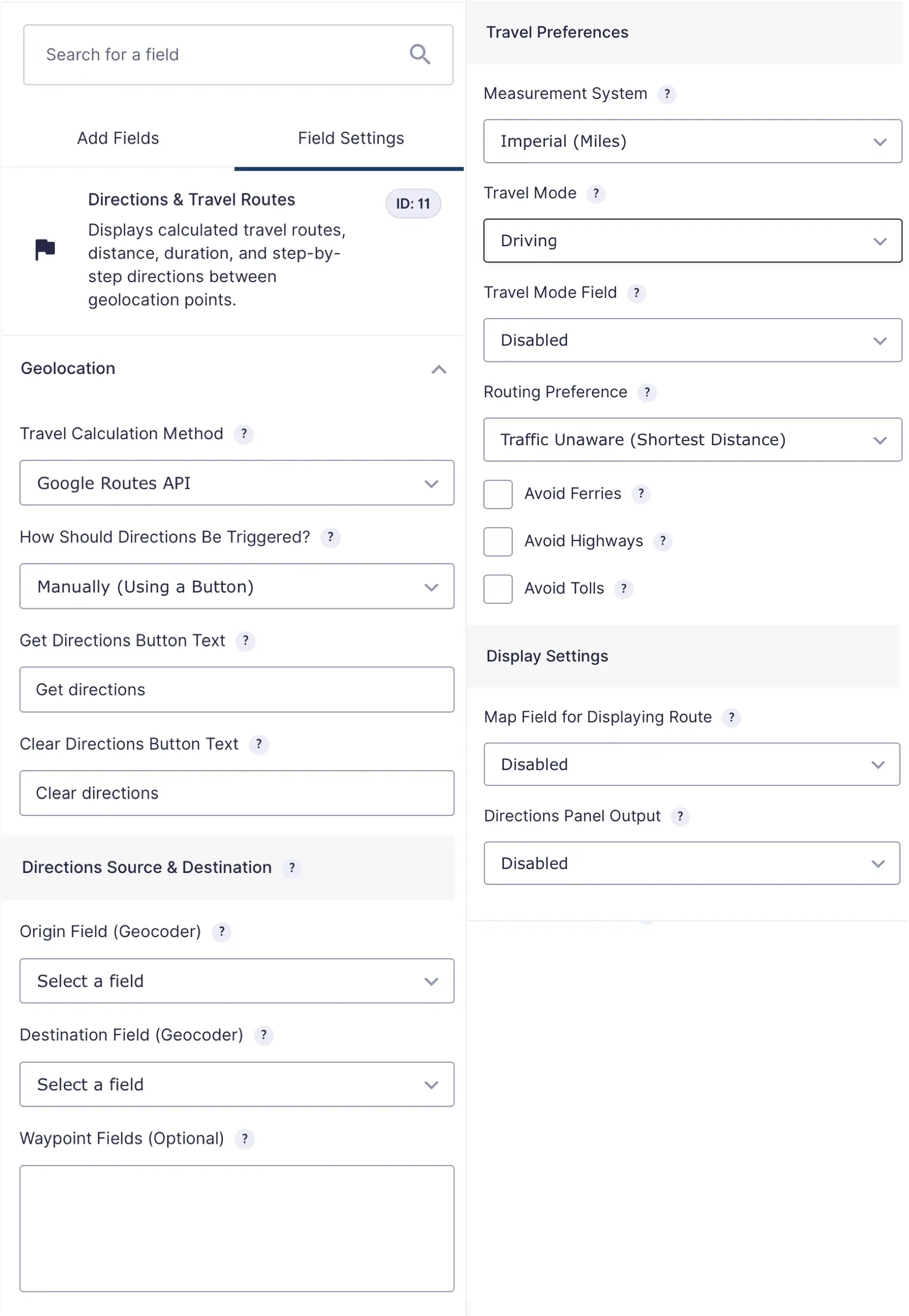
Travel mode selection (driving, walking, etc.)
Optional waypoints
All directly inside the form.

Full Routing Control — Not Just a Distance Calculator

Fine-tune how routes are calculated, displayed, and optimized

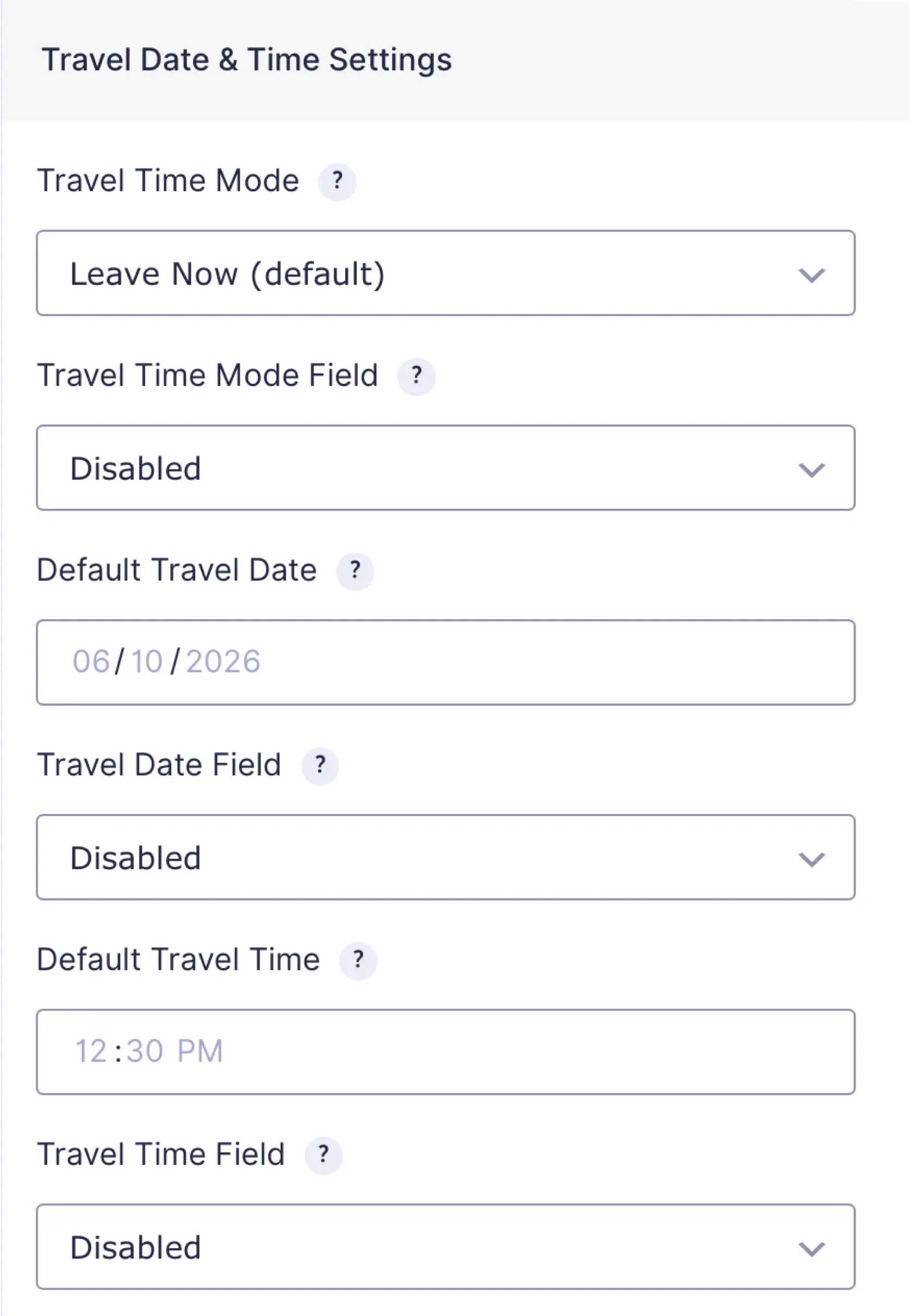
Smart Traffic & Time-Aware Routing

Calculate routes based on departure or arrival time using live traffic data

Show Complete Turn-by-Turn Directions

Give users clear, step-by-step routing without sending them away from your site

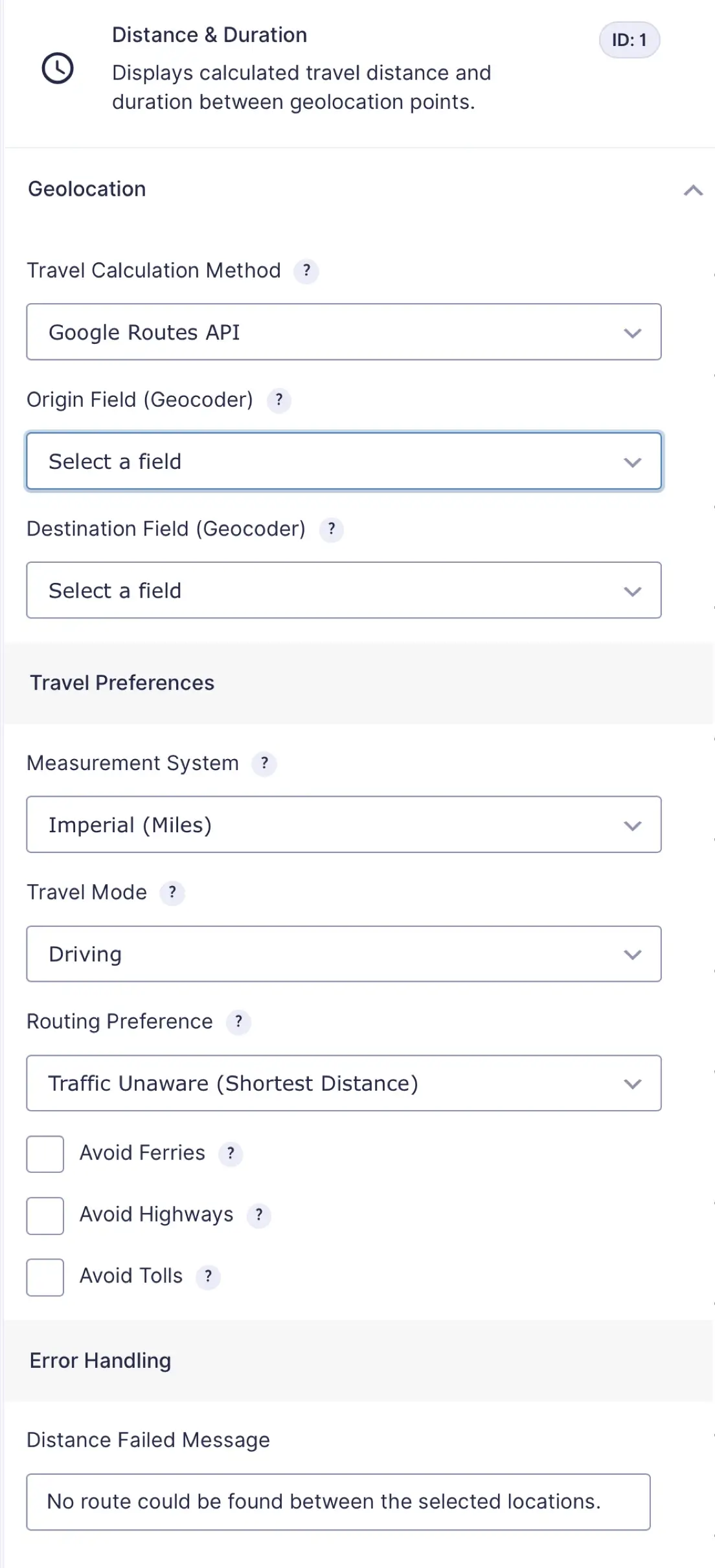
Automatic Distance & Duration Calculation

Accurate results the moment addresses are entered

Turn Distance Into Instant Pricing

Automatically calculate delivery fees, travel costs, or service charges — no custom code required

Native Gravity Forms Integration

Distance, Directions, and Directions Panel are native Gravity Forms fields — not shortcodes, widgets, or external embeds

Choose Your Calculation Method

Select the routing engine that fits your workflow

Built for Performance & Reliability

Designed to handle real-time route calculations efficiently — without slowing down your forms

Real-Time, Optimized Requests

Routes are calculated only when needed — no unnecessary API calls.

Controlled Trigger Logic

Choose manual or automatic triggers to control when calculations run.

Smart API Usage

Uses Google’s Routes API efficiently, with support for straight-line fallback when needed.

Batch-Friendly Architecture

Distance-only calculations (Matrix mode) reduce load for pricing workflows.

Fully Server & Front-End Compatible

Works with AJAX submissions, conditional logic, and dynamic fields.

Clean Integration with Gravity Forms

No external widgets or embedded iframes — everything runs natively inside your form.

Frequently Asked Questions

What is the Distance & Directions feature?

Distance & Directions calculates driving distance, travel time, and routes between locations directly inside your Gravity Forms using Google Maps.

Can I calculate pricing based on distance?

Yes. Distance and travel duration can automatically populate Gravity Forms fields, making it easy to build delivery fees, travel costs, service charges, and other distance-based pricing workflows.

Can I display turn-by-turn directions?

Yes. Display complete turn-by-turn directions and interactive routes directly inside your Gravity Form using the built-in Directions Panel.

Can I calculate distance without displaying directions?

Yes. You can calculate distance and travel time without displaying the route, making it ideal for pricing calculators and automated workflows.

Does it support live traffic?

Yes. Travel times can be calculated using live traffic conditions, including departure and arrival times, when supported by Google’s Routes API.

Can I customize routing options?

Yes. Configure travel mode, traffic preferences, route options, measurement units, and other routing settings to match your workflow.

Does it work with Gravity Forms calculations and conditional logic?

Yes. Distance and travel time values can be used in calculations, conditional logic, notifications, confirmations, merge tags, and custom workflows.

Do I need a Google Maps API key?

Yes. A Google Maps Platform API key is required to calculate routes, travel distance, and estimated travel time using Google’s routing services.

See It in Action - Try the Demo Now

Launch Demo 🚀

Choose Your Plan to Unlock the Full Potential of Gravity Forms

Flexible options designed to suit your needs, with all the powerful geolocation tools included in every plan.

Starter

Core Geolocation Tools
normally $59
$55
.00

/First year
Billed annually at normal price
Get Started
  • 1 Site
  • 1 Year Support & Updates
  • Risk-Free for 14 Days
  • Included Solutions
    Geolocation Fields
    Location fields for Gravity Forms
    Dynamic Location Data
    Automatically populate fields with location data
    Auto Locator
    Detect the user’s current location
    Most Popular

    Pro

    Advanced Search & Mapping
    normally $159
    $99.00

    /First year
    Get Started
  • 3 Sites
  • 1 Year Support & Updates
  • Risk-Free for 14 Days
  • Includes everything in Starter, plus:
    Gravity Search
    Turn Gravity Forms into searchable directories
    Address Validation
    Verify and standardize addresses
    Distance & Directions
    Calculate routes, distance, and travel time
    Single Entry Maps
    Display a single entry on a map
    Entries Mashup Maps
    Display multiple entries on one map

    Agency

    Complete Geolocation Suite
    normally $259
    $179.00

    /First year
    Get Started
  • 20 Sites
  • 1 Year Support & Updates
  • Risk-Free for 14 Days
  • Billed annually at normal price
    Includes everything in Pro, plus:
    Nearest Locations
    Find the closest destination instantly
    Drawing Tools & Shape Fields
    Draw and manage custom map shapes
    Store Locators & Service Areas
    Build store finders, pickup points, and service zones
    Note: Agency features are currently in beta.

    Special introductory pricing applies to the first year. Renewals are billed at the regular price. You can upgrade or cancel your plan at any time. Each plan includes automatic updates, premium support, and is backed by our 14-day money-back guarantee.

    All purchases are securely processed on GEO my WP, our parent platform, where you can manage license, update, and support.