
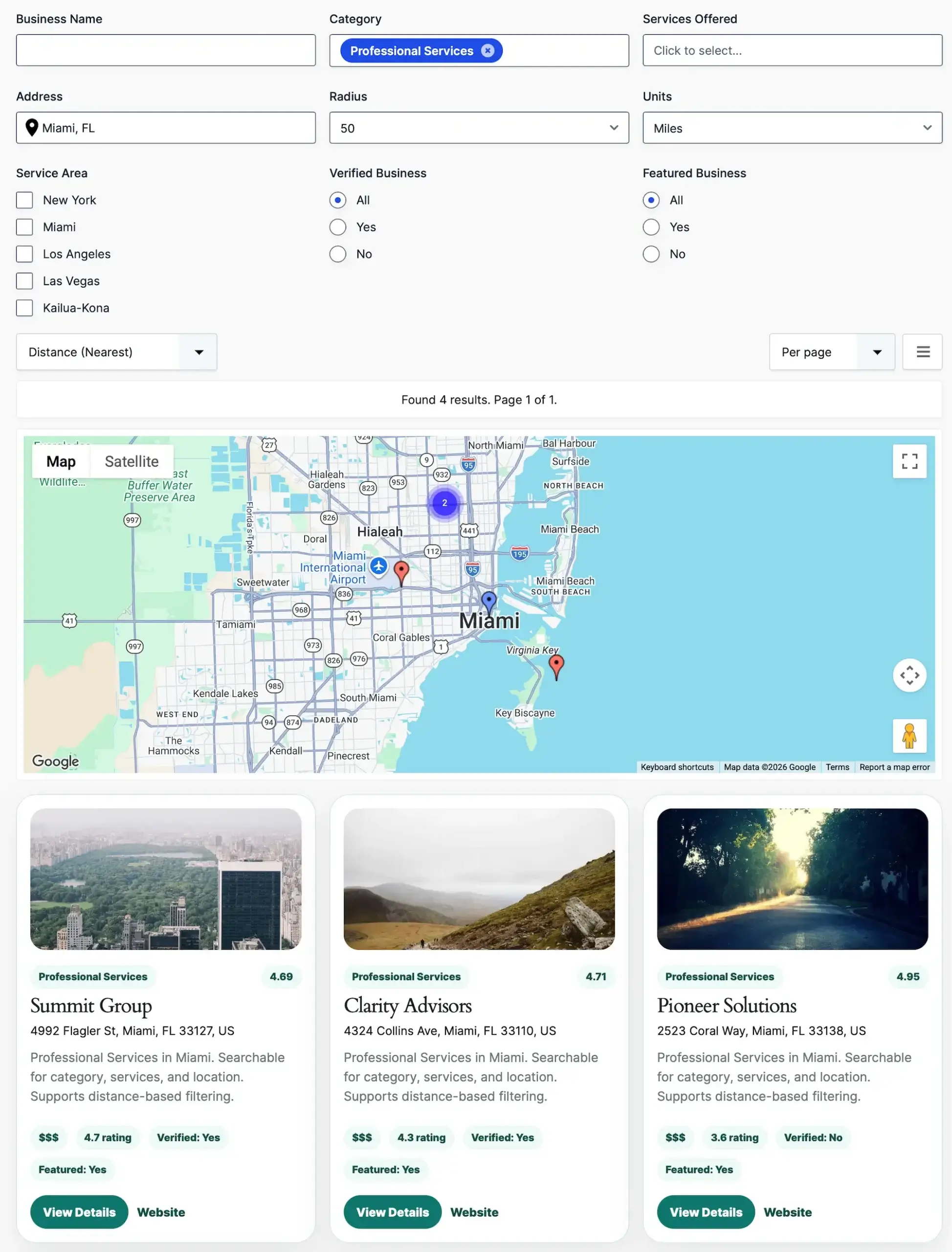
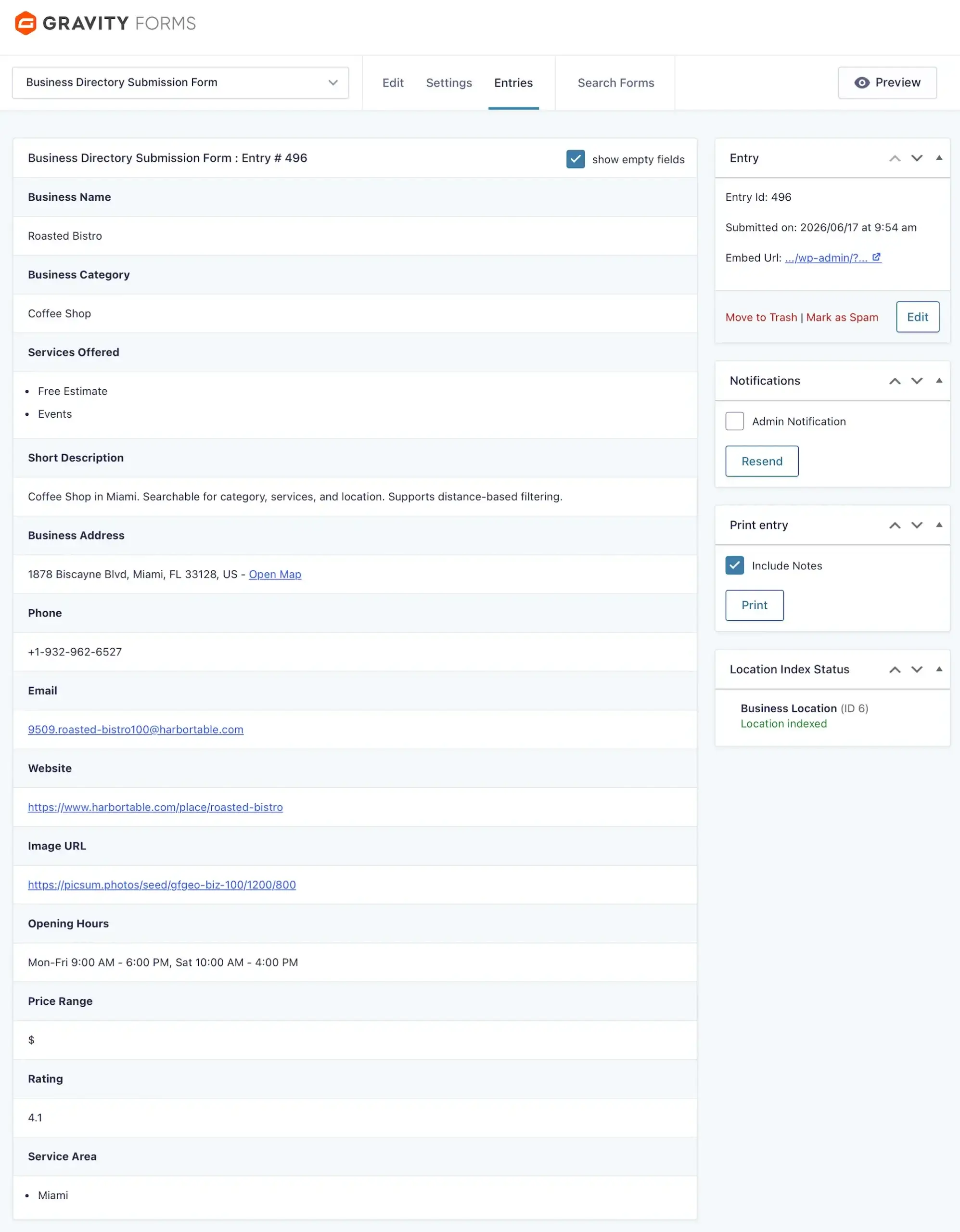
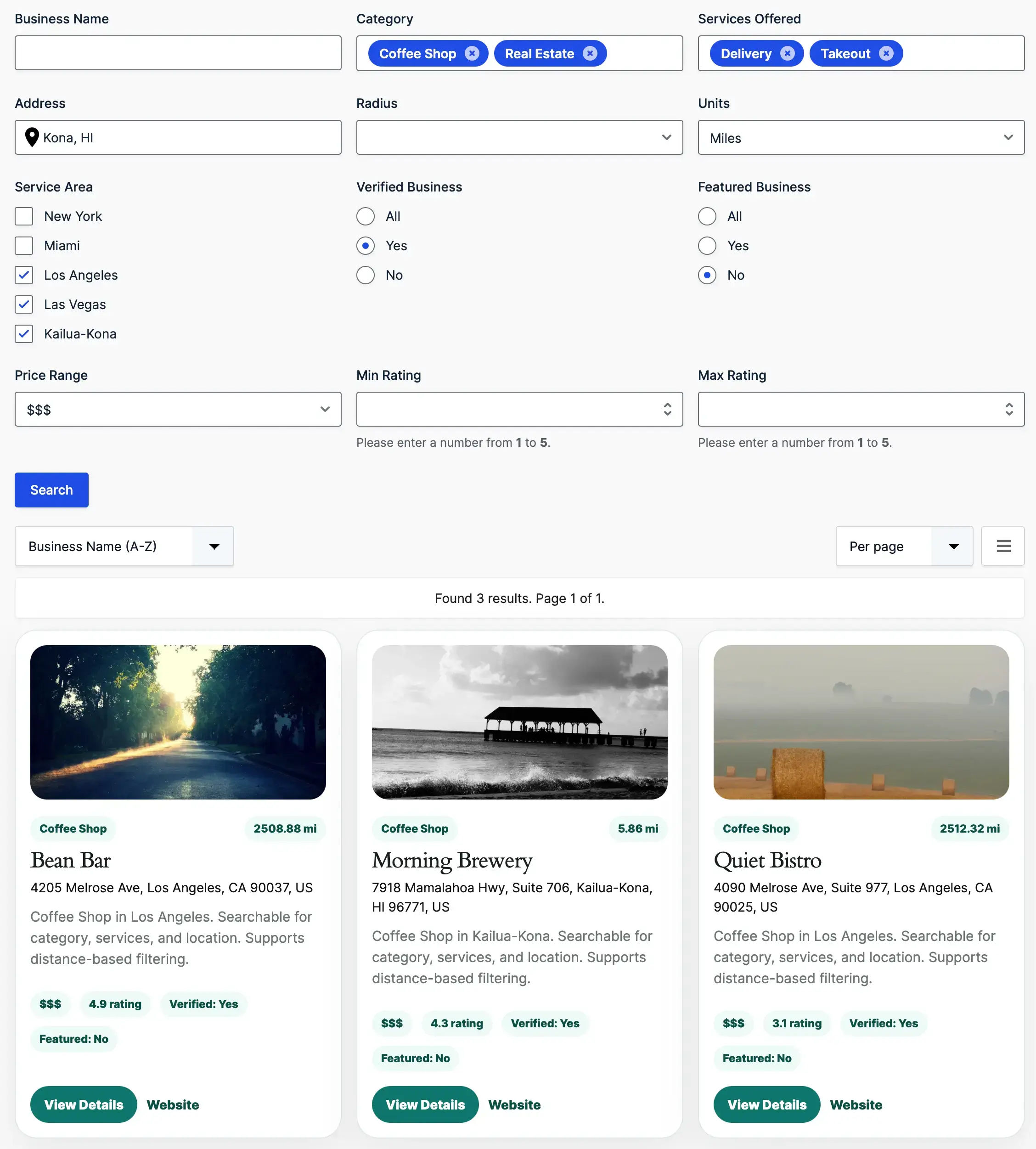
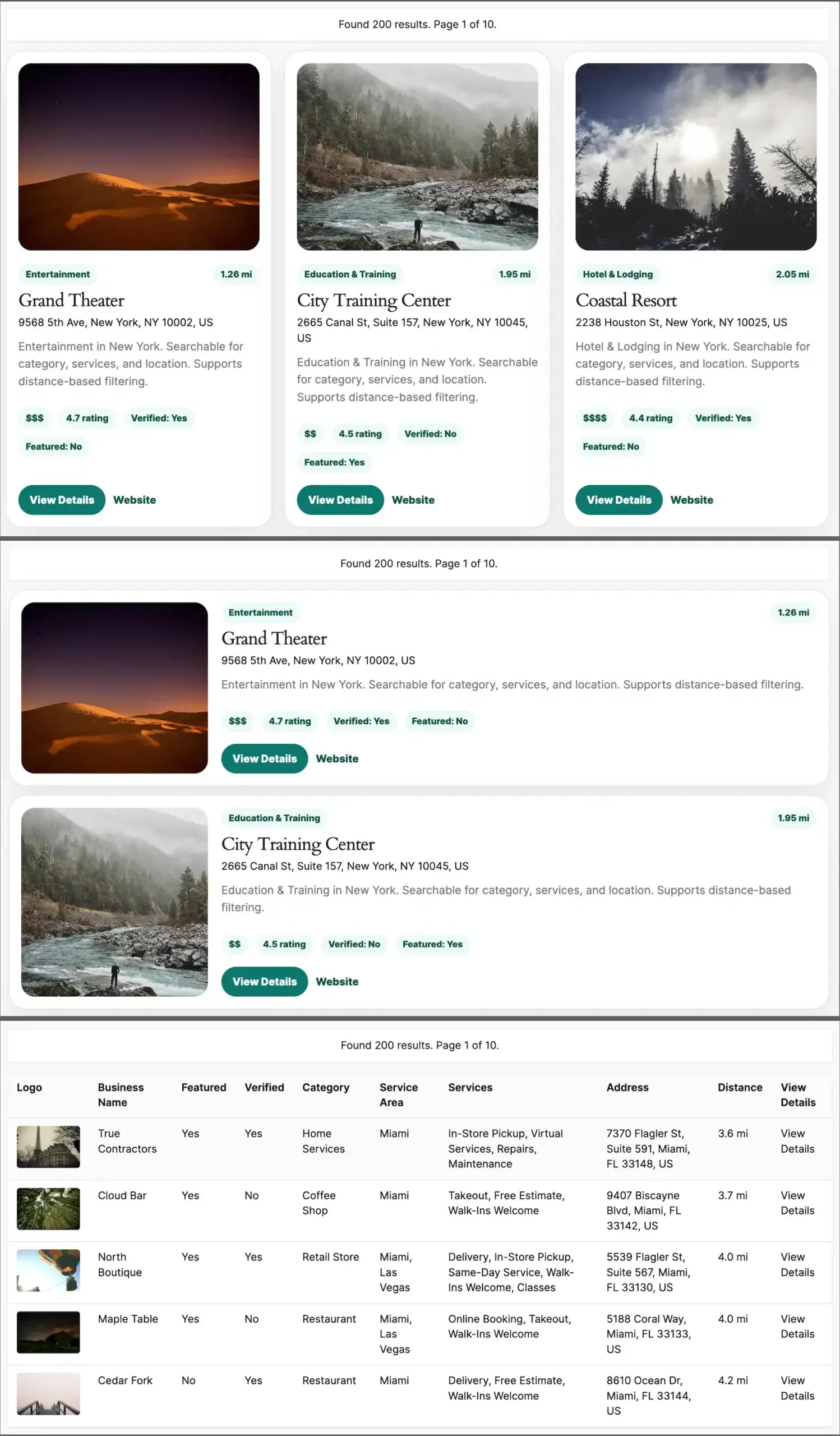
Turn Gravity Forms entries into a searchable business directory with filters, maps, proximity search, and business profile pages.

Create searchable listings, business profile pages, maps, and location-based search experiences using Gravity Forms.

If you’re already collecting business information with Gravity Forms, you’re halfway there.
Gravity Search transforms those entries into a searchable directory with filters, maps, business profile pages, and location-based search—without requiring a separate database, custom post type, or third-party directory platform.
The result is a complete directory solution built directly on top of the data you already manage.

Allow visitors to search by:
Combine multiple filters to help users quickly find the businesses most relevant to them.

Choose how directory listings appear:
Create anything from a simple directory to a fully branded listing experience.

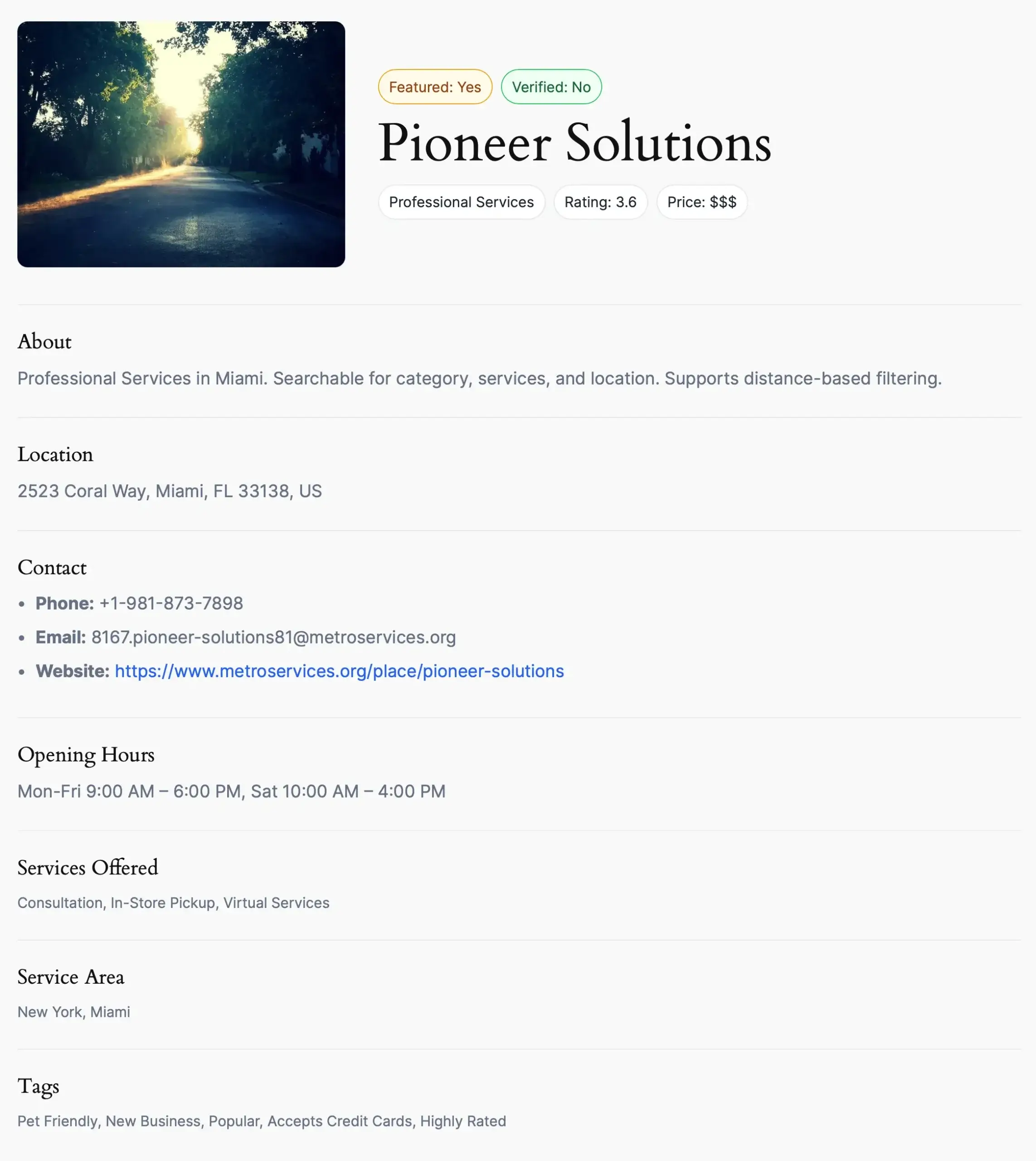
Each business can have its own dedicated profile page displaying:
Perfect for creating detailed listings without custom development.

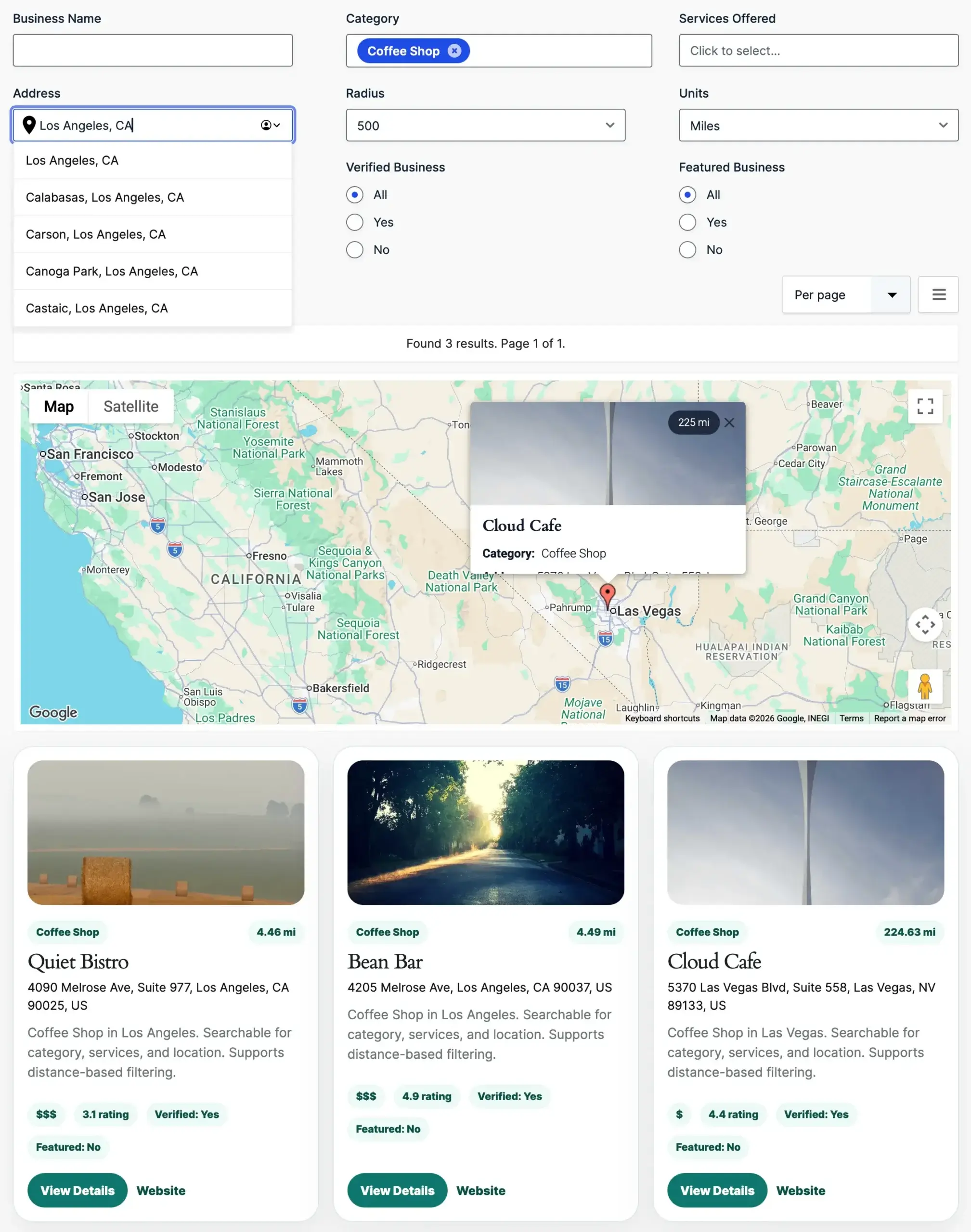
Display businesses on an interactive map and allow visitors to search nearby businesses using an address, current location, or search radius.
Built specifically for Gravity Forms users
Yes. Gravity Search transforms your existing Gravity Forms entries into a fully searchable business directory with listings, advanced filtering, interactive maps, and dedicated business profile pages.
Yes. Every business listing can have its own dedicated page displaying contact information, descriptions, images, maps, social links, business hours, and any other information collected through Gravity Forms.
Yes. Visitors can search by keywords, categories, services, locations, addresses, proximity, and virtually any information collected with your Gravity Form.
Yes. Display business listings on interactive Google Maps with marker clustering, current location search, radius filtering, and synchronized map results.
Yes. Display businesses using grids, lists, tables, maps, or fully customized templates that match your website’s design.
Yes. A single Gravity Form can power multiple directories, each with its own search filters, layouts, sorting options, and presentation.
No. Most business directories can be built using the familiar Gravity Forms interface without writing code. Developers can further customize layouts and functionality using templates, hooks, and filters.
A Google Maps Platform API key is only required if you use map-based features such as interactive maps, address search, or proximity search. Gravity Search can also be used without maps.
Explore the live demo or start building your own business directory today.
Special introductory pricing applies to the first year. Renewals are billed at the regular price. You can upgrade or cancel your plan at any time. Each plan includes automatic updates, premium support, and is backed by our 14-day money-back guarantee.
All purchases are securely processed on GEO my WP, our parent platform, where you can manage license, update, and support.