
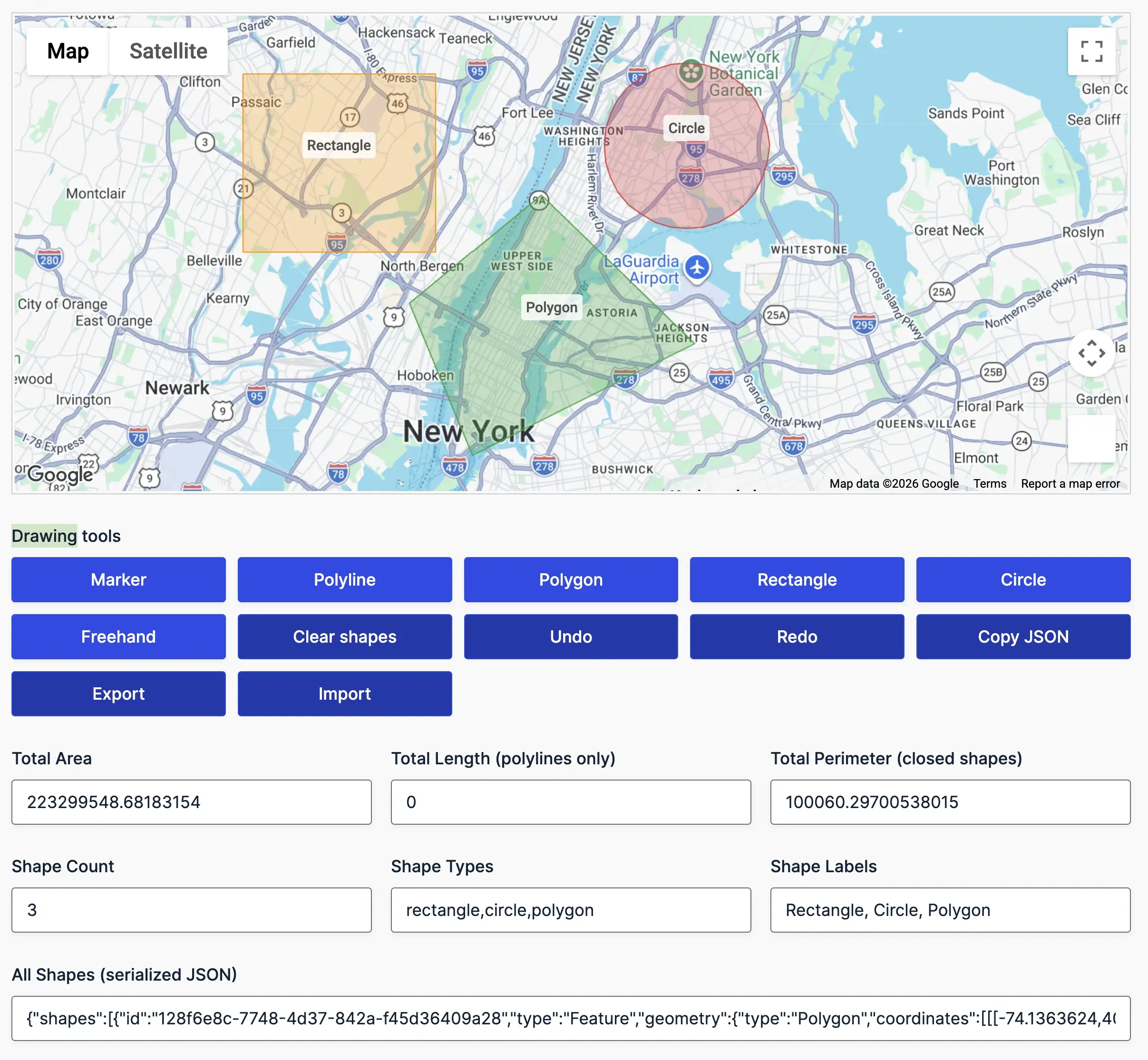
Draw service areas, delivery zones, property boundaries, routes, and custom regions directly on interactive maps

Create, manage, and analyze custom map regions directly inside Gravity Forms.
Create and manage map-based shapes directly inside Gravity Forms

Draw markers, polylines, polygons, rectangles, circles, and freehand shapes directly on interactive maps.
Work with multiple shapes on a single map and manage each shape independently.
Undo, redo, clear, import, and export shape data using built-in management tools.
Save shape data with form submissions for use in workflows, directories, and reporting.
Calculate shape metrics automatically as users draw

Automatically calculate the area of polygons, circles, rectangles, and custom regions as shapes are created or modified.
Track shape counts and geometry information automatically.
Display center points, bounding coordinates, and shape metadata for advanced workflows.
Generate structured GeoJSON data that can be stored, exported, or used in custom integrations.
Control how shapes look and behave on the map

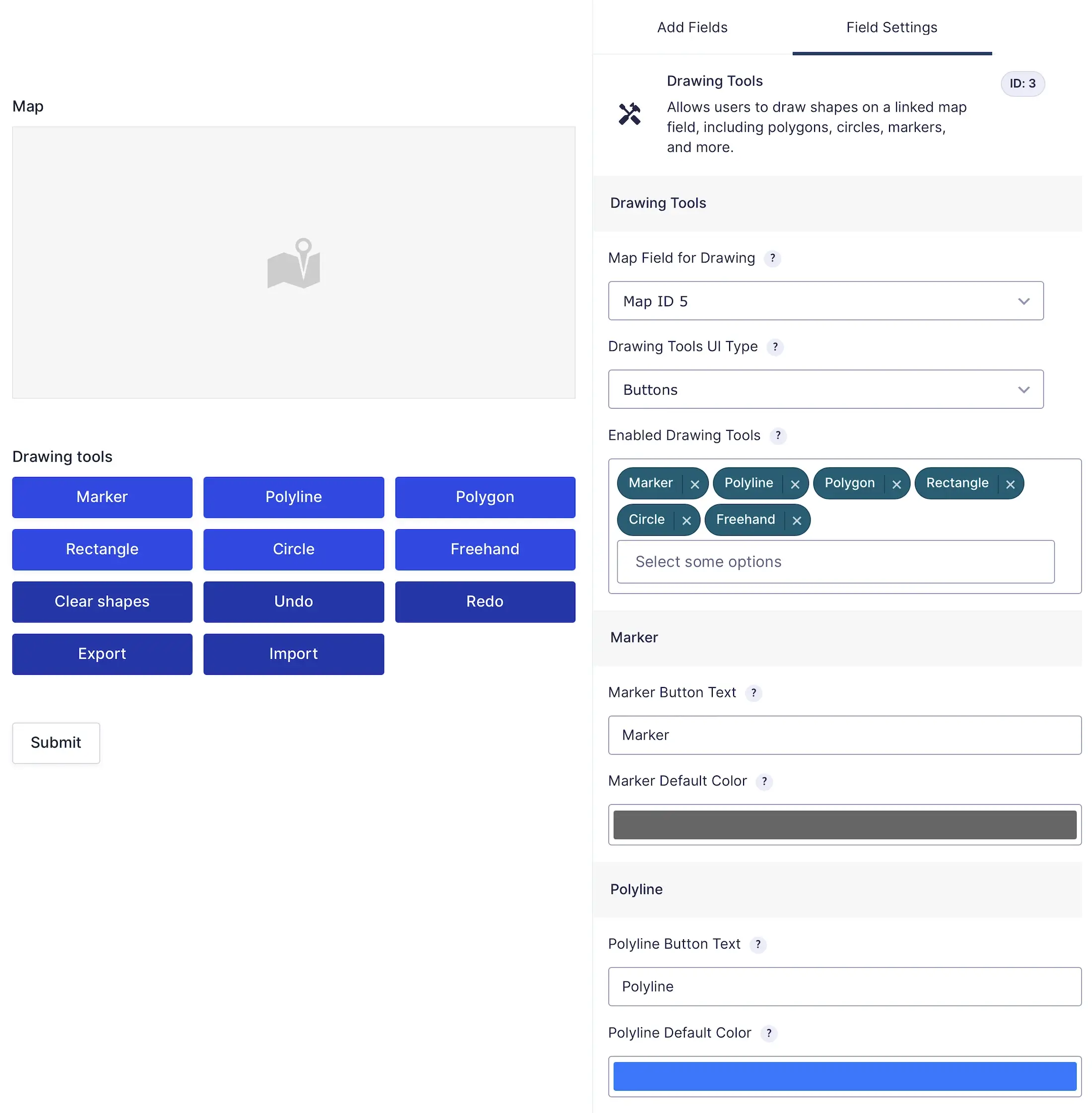
Display drawing tools as buttons or toolbar icons and choose where they appear.
Add custom labels to make shapes easier to identify and manage.
Allow or restrict editing, resizing, dragging, and deletion on a per-shape basis.
Load predefined shapes and service areas using GeoJSON data.
Build advanced location-based workflows using custom map regions.

Create custom delivery areas and define exactly where services are available.
Allow users to outline properties, parcels, territories, and custom geographic regions.
Restrict submissions or workflows based on whether a location falls inside a specific shape.
Use shape data to power directories, automation workflows, conditional logic, and advanced geolocation processes.
Capture, manage, and analyze custom map regions directly inside Gravity Forms.
Support markers, polygons, circles, rectangles, polylines, and freehand drawing.
Import, export, and preload custom shapes using GeoJSON data.
Calculate area, perimeter, length, and shape statistics automatically.
Edit, resize, drag, label, and organize shapes with built-in tools.
Draw and manage shapes directly on Google Maps inside your forms.
Works with conditional logic, calculations, notifications, and custom workflows.
Special introductory pricing applies to the first year. Renewals are billed at the regular price. You can upgrade or cancel your plan at any time. Each plan includes automatic updates, premium support, and is backed by our 14-day money-back guarantee.
All purchases are securely processed on GEO my WP, our parent platform, where you can manage license, update, and support.