
Directions Panel Field
Last modified: September 11, 2026
Introduction
The Directions Panel Field displays the step-by-step instructions generated by a linked Directions Field. It is a display-only field and has no independent route settings or saved entry value.
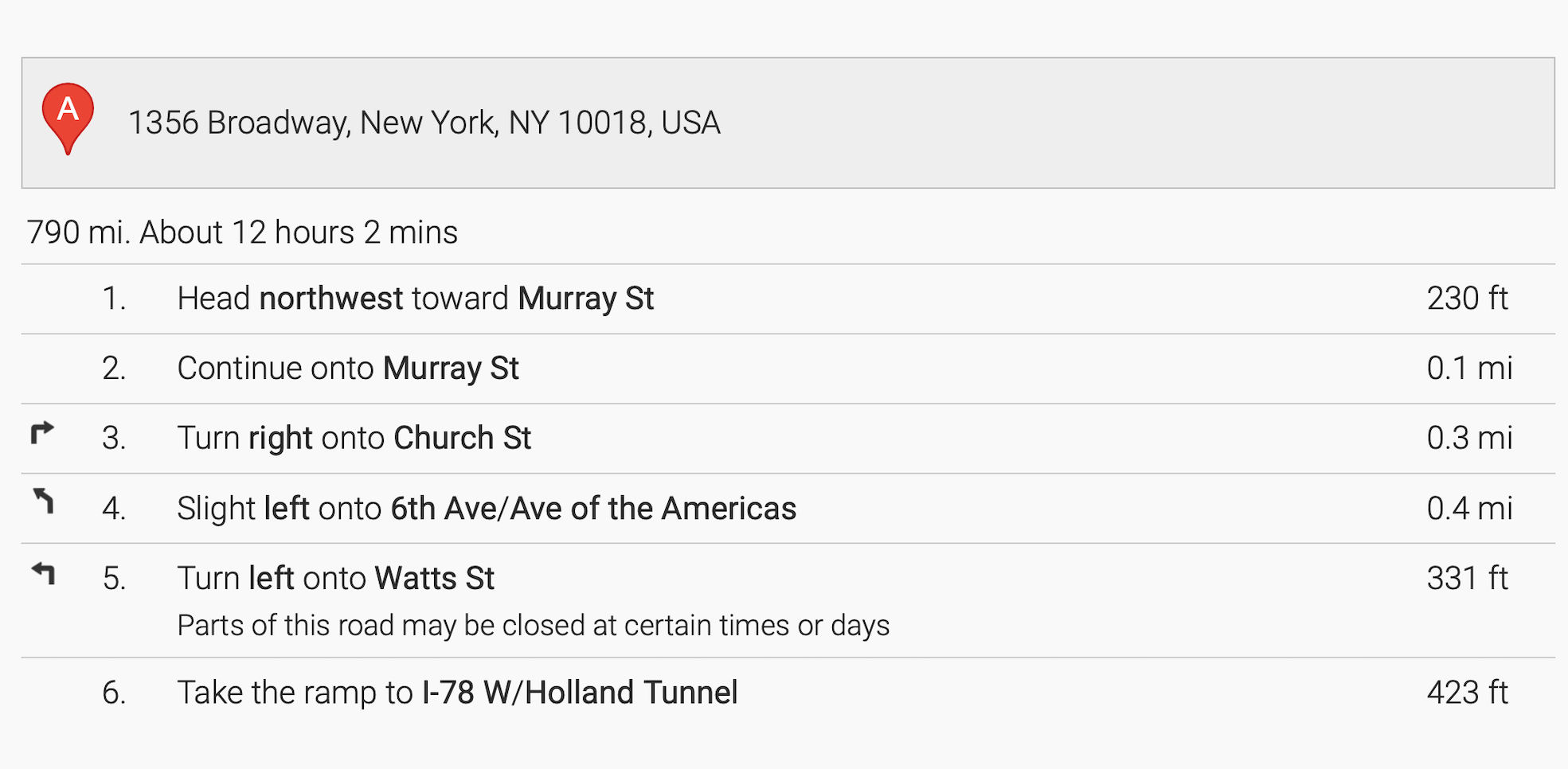
How the Directions Panel Works
- The Directions Field performs the route calculation.
- The Directions Field’s Directions Panel Output setting selects the panel that receives the route steps.
- The panel refreshes when the route is calculated and clears when the Directions Field is cleared.
- Step-by-step output requires the Google Routes API calculation method.
Setting Up and Using the Directions Panel Field
- Add and configure a Directions Field.
- Add a Directions Panel Field where the route instructions should appear.
- Open the Directions Field settings.
- Set Travel Calculation Method to Google Routes API.
- Under Directions Panel Output, select the panel.
- Preview the form and calculate a route to confirm that its steps appear.
Limitations and Saved Data
The panel does not save an independent value, and it is not a replacement for the Directions Field. The structured route is saved by the Directions Field.
Straight-Line (Haversine) mode calculates direct distance without road steps, so it does not populate the panel. Use the Distance & Duration Field when you need only distance or duration values without a route panel.