
Gravity Search is a standalone product for turning Gravity Forms entries into searchable directories, listings, customer portals, maps, and other frontend experiences.
Gravity Forms is excellent at collecting structured data. Businesses use it for directories, service providers, property listings, memberships, applications, customer records, employee databases, and many other workflows. Once those entries become useful content, however, visitors and team members need an easy way to find them.
Gravity Search adds that missing frontend layer. It works directly with the Gravity Forms entries you already have, without requiring you to move the data into custom post types or maintain a separate database.
Visit the Gravity Search solution page for live demos, documentation, use cases, and current purchasing options.
Why we built Gravity Search
Searching and displaying Gravity Forms entries on the frontend has traditionally required custom development, several plugins, or a separate directory system. We wanted a solution that felt familiar to Gravity Forms users and could work with existing forms and entries.
Gravity Search separates the form that stores your entries—the Target Form—from the Search that controls filtering and display. That lets you create one or more focused search experiences without changing the original data-collection form.
What can you build?
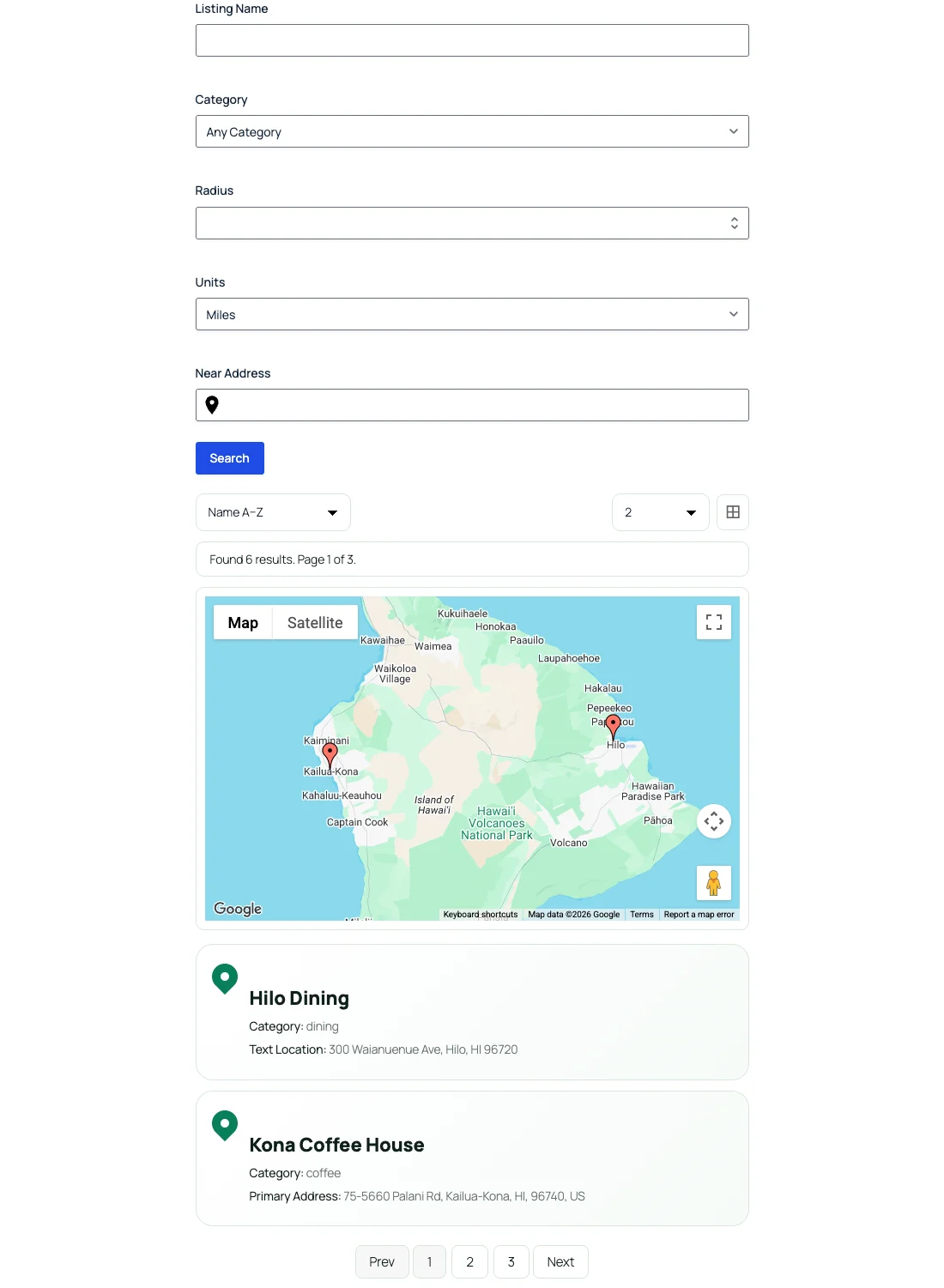
If the information is stored in Gravity Forms entries, Gravity Search can help the right audience find and display it. Common examples include:
- Business and member directories filtered by category, services, interests, or location.
- Store and provider locators with optional maps, radius filtering, and distance sorting.
- Customer portals that show logged-in users the entries they are allowed to access.
- Property and resource listings searched by keywords, dates, numbers, and choices.
- Employee and internal databases for finding records without giving users access to the Entries screen.
- Administration and lookup tools based on entry status, creator, payment information, or other entry metadata.
Use the familiar Gravity Forms builder when you need search controls
When visitors need to enter keywords or choose filters, the search controls are built with the standard Gravity Forms builder. You can use familiar text, choice, date, number, and supported custom fields, then connect them to the fields stored by the Target Form.
A visitor-facing form is optional. You can instead enable Initial Load and predefined filters to display a directory, list, table, or map automatically.
Connect Search fields to existing entry data
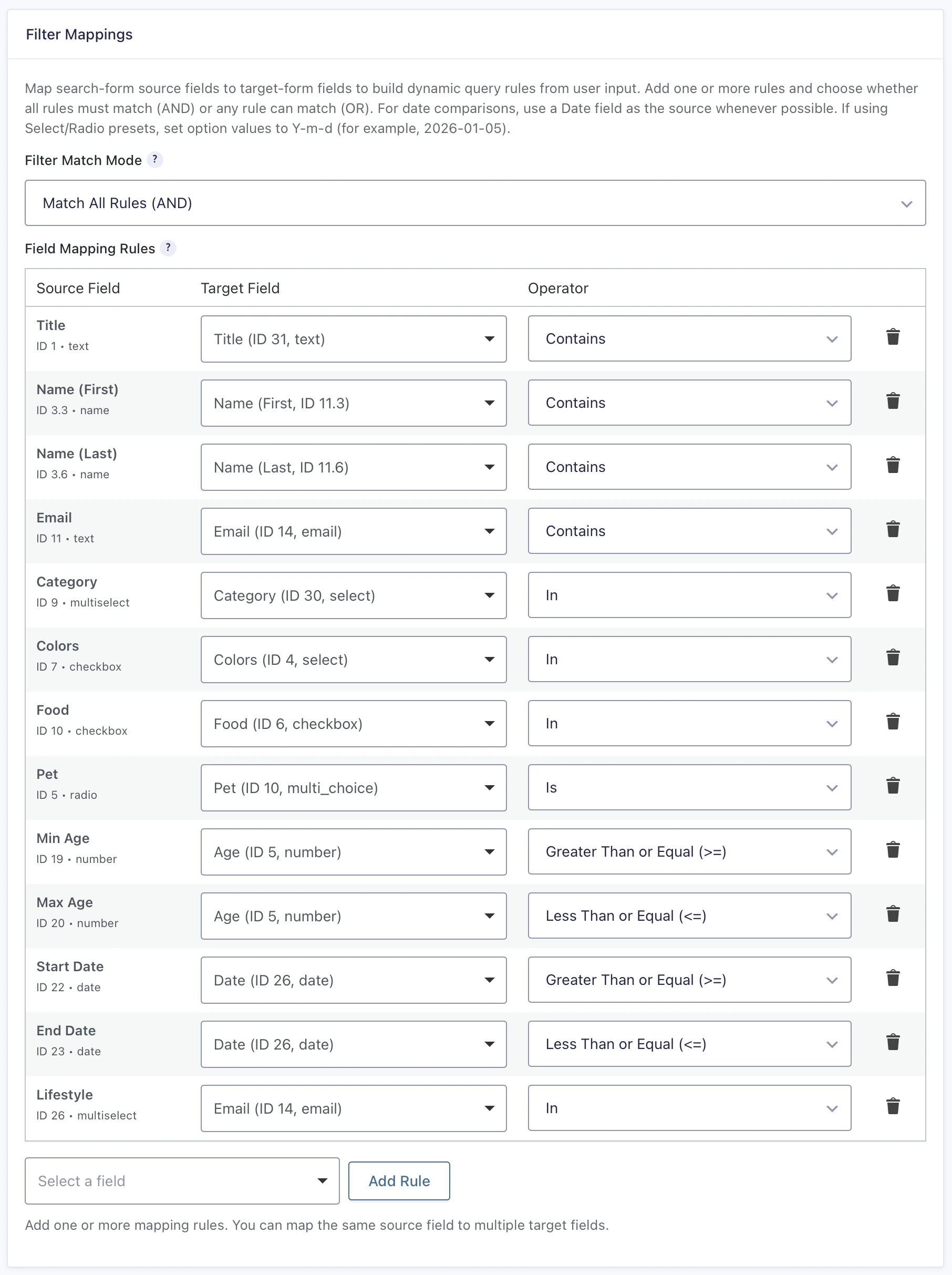
Field Mapping connects visitor inputs to Target Form fields. Depending on the field, you can use contains, exact-match, choice, comparison, date, and range-style filtering. Multiple mapped filters can use Match All or Match Any behavior.
Administrator-defined filters remain fixed constraints. Gravity Search can also work with entry metadata and supported system information such as entry status, entry ID, dates, creator information, user roles, payment status, and transaction IDs.
Flexible results and optional entry details
Matching entries can appear in list, grid, or table layouts. You choose which fields are displayed and can add sorting, numbered pagination or Load More behavior, and results-per-page controls.
Results can optionally link to an individual Details Page. Details can use structured fields, custom HTML, or page content with Gravity Forms merge tags. If your project only needs a searchable or automatically loaded list, no Details Page is required.
Maps and proximity search are optional
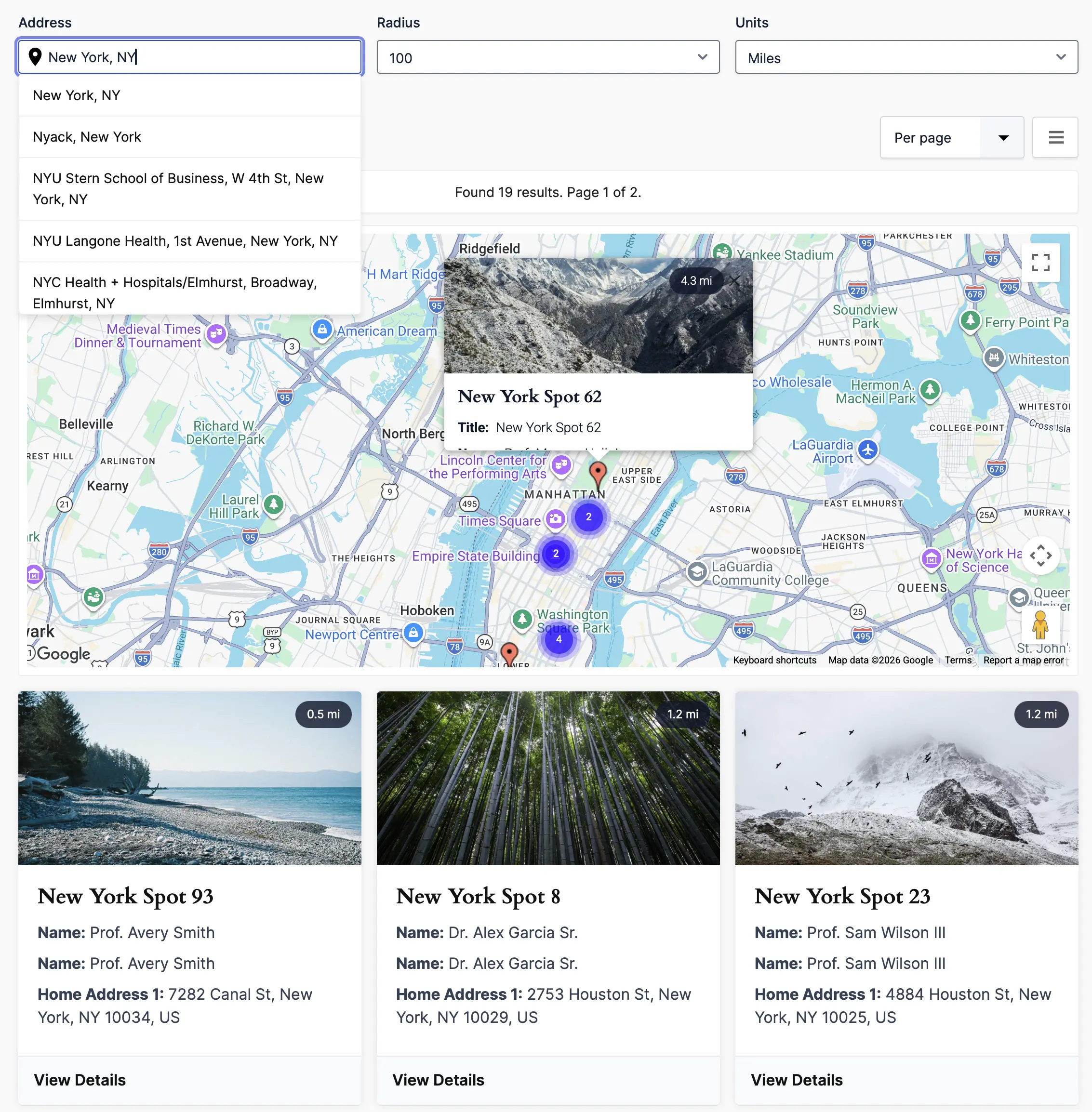
Gravity Search works as a general-purpose entry search without any geolocation features. If the Target Form already has synchronized or imported location data, you can add maps, markers, proximity controls, and distance-based sorting.
The standalone Gravity Search package does not include the Gravity Geolocation fields used to collect new locations through Gravity Forms. Choose Geolocation + Search Bundle when you need Gravity Search together with the complete field and map set from Gravity Geolocation Toolkit.
Build the page layout your way
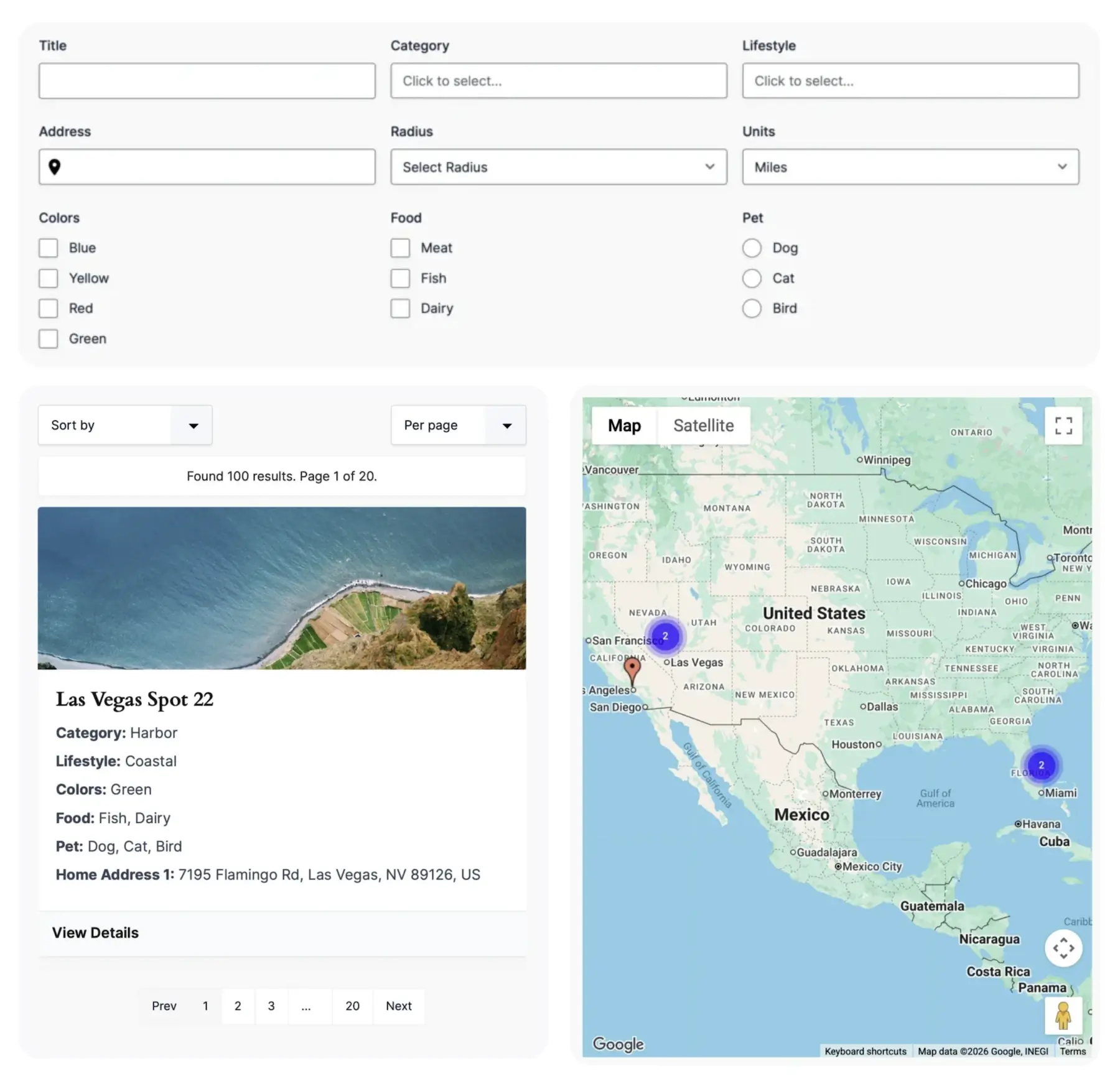
The complete Search can be placed on a page with one shortcode. Separate shortcodes can also position its visitor form, results, and map in different parts of a layout.
This supports arrangements such as a form above the results, results beside a map, a results-only directory, or a map-focused locator. Different Searches may share a page, but each individual Search should appear only once on that page.
A clearer Search setup experience
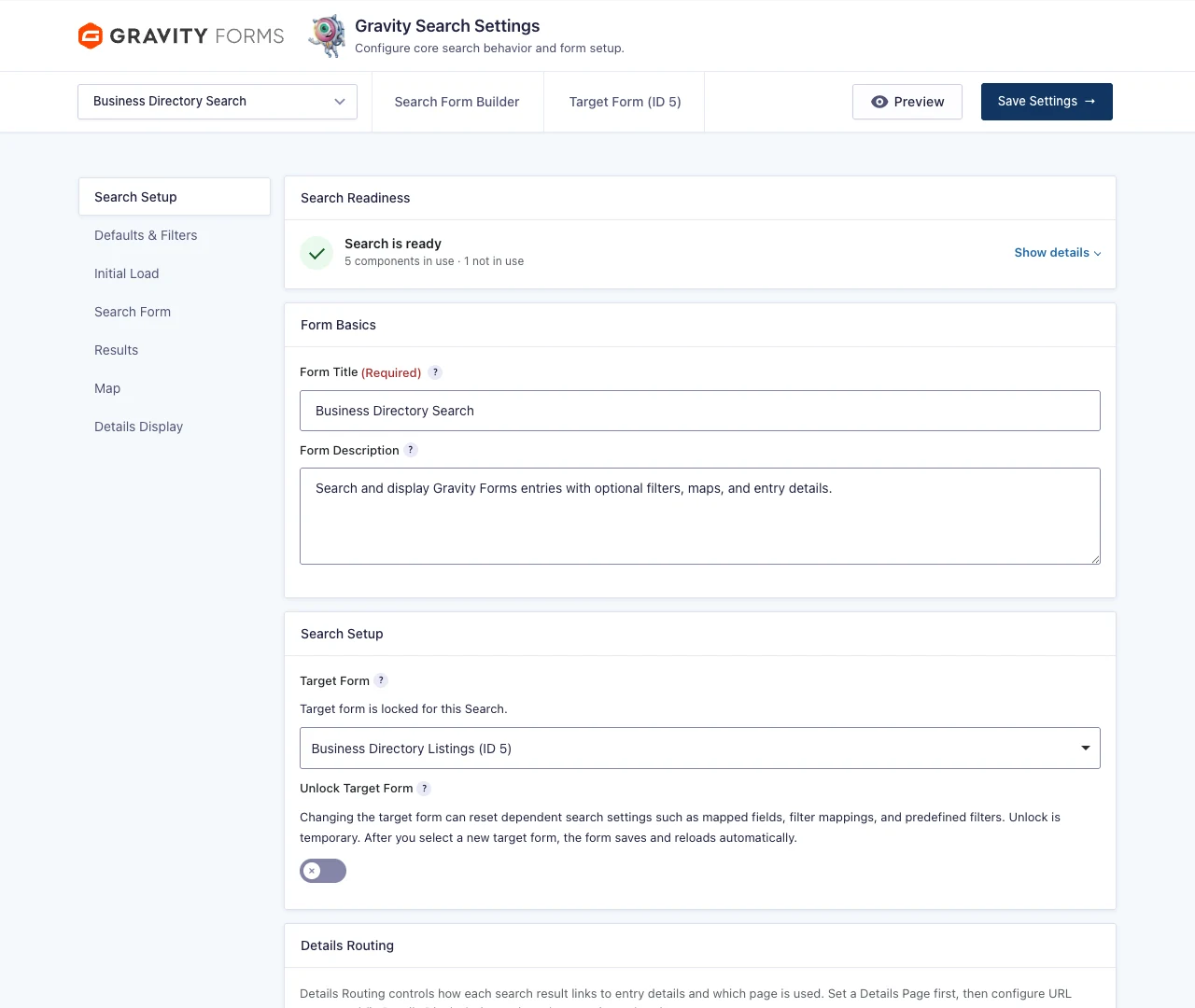
Gravity Search settings are organized into familiar tabs for Search Setup, Defaults & Filters, Initial Load, Search Form, Results, Map, and Details Display. The Search Readiness panel summarizes the saved configuration without treating unused optional components as errors.
Dependencies are explained where they matter. For example, details-link controls remain visible but disabled until a Details Page is selected, and proximity controls point back to the required saved location settings.
Gravity Search packages
Gravity Search is available as its own product for customers who need frontend entry search and display. Bundle combines Gravity Search with every field and map included in Gravity Geolocation Toolkit.
These are alternative builds of the same plugin, so install only the package provided for your license. You do not install Gravity Search beside another Gravity Geolocation package.
See Gravity Search in action
Get started with Gravity Search
Read the Gravity Search overview, then follow the first Search setup guide to connect a Search to your existing entries.
Visit the Gravity Search solution page to compare use cases, explore the demos, and choose between standalone Gravity Search and Bundle.